- 17.1 Purpose
- 17.2 General principles
- 17.3 Kinds of artifacts
- 17.3.1 Purpose and constraints
- 17.3.2 Team information
- 17.3.3 System artifacts
- 17.3.4 Verification artifacts
- 17.3.5 Release, manufacture, and deployment
- 17.3.6 Project operations
- 17.3.7 Regulatory artifacts
- 17.4 Managing artifacts
- 17.4.1 Security
- 17.4.2 Organization
- 17.4.3 Change management
- 17.4.4 Implementing artifact management
17.1 Purpose
Artifacts are all the things created in the process of making a system. It starts with records of the purpose of the system, and the requirements it must fulfill. It includes the implementation of the system ready to deploy—such as hardware inventory in a stock room and software ready for installation. The artifacts include everything in between, including design, source code, verification records, rationales for decisions, records of reviews and approvals, and many, many more. The artifacts also include information used by the team to help do its job, such as information about who is on the team, processes to follow, and how the team operates. The artifacts are organized into the system artifact graph (Chapter 15), which records how all these artifacts are related.
The objectives for artifacts are documented in Section A.3.1.
The artifacts have three functions: as deliverables, as communication, and as a record of the project for auditing.
As deliverables, the implementation artifacts are the actual system to be deployed. It should be possible to take a set of implementation artifacts, assemble them (following instructions that are themselves artifacts) and have a working instance of the system. These artifacts are joined by things like records of regulatory approval and information associated with serial numbers or versions showing the history of the specific artifacts deployed in the system.
Most of the artifacts, however, are for communication: between people working on one task and another, between the customer and system designers, between those who implement and those who verify. Sometimes those people are working concurrently, such as when two people design two components that are expected to work together. Sometimes the communication is between someone who specifies attributes for a part of the system and someone who implements that parts. The communication is also between someone who made a design decision and someone who, years later, must understand that decision in order to make changes to the system.
Audit is a special case of communication. It is between the project and someone outside who will be checking the project’s work. In many cases the external party will have an adversarial role, looking to find mistakes or violations. Regulators, for example, may look through records to check that the team has followed processes that meet regulatory requirements.
Note that there are many ways to achieve the objectives laid out in this chapter. Each project will need to determine how to handle its own artifacts. The specific solution will depend on the complexity of the project, the size of the team, and requirements from the organization or industry. The appropriate solution may change over time: as a team grows, it may need more formal mechanisms.
I have seen a range of working approaches for handling artifacts. Two projects kept track of planning information on designated whiteboards. Others maintained plans in project management tools. (The whiteboard approach had a problem: one time someone erased the board. Luckily there was a recent picture of its contents.)
I have also been on projects that had an overly complicated solution. One project was a joint venture between multiple companies on multiple continents. That project used multiple repository tools for different kinds of information. There was a process for proposing design and implementation changes, but no one knew quite what it was or how to follow it. After a few years that joint venture fell apart, in part because the teams could not figure out how to work together.
Whatever solution you adopt, it is important that it fit your project and team. It should be capable enough to manage the kinds of artifacts your team will use, and simple enough for the team to use.
The objectives in this chapter can help you work out what capabilities your solution should handle.
17.2 General principles
The artifacts are meant to be shared, at least within the team and sometimes to people outside. The people using these artifacts will come and go, so supporting people who will use them in the future is as important as sharing in the moment.
This leads to some general principles about artifacts.
People should be able to find the artifacts they need. An artifact is not useful it the people who need it don’t know it exists, or if they don’t know how to find it. The artifacts should be organized in some way that helps people find them.
“Finding” has multiple aspects. It can mean that when they know something exists, they can get to that artifact conveniently. It can mean that they know that a general kind of thing probably exists, and they need to be able to navigate through to the artifacts of that kind. They may not know what is out there, and need to be able to browse or discover artifacts in order to learn about the system. Or it might mean that they need to have confidence that they can itemize all of a certain kind of artifact, without missing any.
People should have confidence that they have found the correct artifact. In the worst case, someone will look for a particular thing and find three or four potentially-relevant artifacts. Which, if any, of those should they believe? What if they disagree with each other?
This principle generally means, first, that any particular piece of information or artifact should be in one place. There should not be two different artifacts that appear to be authoritative sources for the same piece of information. It also means, second, that when there are legitimately multiple versions of an artifact, those versions should be clearly identified and that a user should see consistent versions of different artifacts unless they take explicit actions to see different versions.
Relationships between artifacts should be represented. No artifact made in a system-building project stands on its own. It responds to specifications, or is the source of specifications for something else. It explains why some other artifact was designed as it was. It has a functional relationship with some other component, implemented in another artifact.
If the artifacts do not represent these relationships somehow, people using the artifacts will sometimes miss that the relationships exist and make mistakes in building or checking something they are working on.
The relationships can be represented in many different ways, and not all relationships need to be represented in the same way. Naming conventions work for some things, while others must be documented explicitly.
The artifacts should be maintained securely. The system that the customer will ultimately use is based on many artifacts that the project maintains. If someone subverts or damages some of those artifacts, the resulting system will be compromised. If someone destroys some of the artifacts, some of the team’s work will be lost.
This argues at minimum for maintaining the integrity of the artifacts, meaning that the artifacts or the collection of them cannot be modified in an unauthorized way. (Good practice is that any change to an artifact can be traced reliably to the person who made the change.)
Some of the artifacts may need to be kept confidential, if they contains secret information. Almost every project has some information to be kept confidential, at minimum as part of maintaining the integrity of artifacts. (Login credentials, for example.)
17.3 Kinds of artifacts
This section lists the kinds of artifacts that the analysis in Appendix A showed contribute to meeting stakeholder needs. The artifacts are listed in the order in that analysis. This list expands on the examples in Section 15.2.
17.3.1 Purpose and constraints
These artifacts include clear documentation of the customer’s purpose for the system. Every feature of the system derives, directly or indirectly, from this purpose. If that purpose is not written down, the team is unlikely to accurately design to meet those needs—and is likely to add features that the customer does not want (so-called “gold plating”). These artifacts should be visible to most of the team in order to guide them as they design, build, or verify the system.
The customer’s non-functional constraints should be included. This includes the safety, security, and reliability they expect.
Constraints from other stakeholders should also be documented. The organization may place constraints on the project, such as expected profitability. Regulators can place many constraints that must be met to license or certify the system.
A clear record of a system’s purpose is essential for bringing new team members up to speed, and helps the whole team keep its work on track.
The understanding of the purpose or constraints will change over time. A customer will find they have needs they did not initially realize, or they will discover that whatever purpose was agreed with the team is not quite what they meant. An organization or regulators may change their constraints as time goes by.
There should be an explicit record of the changes requested or identified. If a change is accepted—and the project may choose to reject some changes—then it should lead to a new version of the purpose and constraints. It should be possible to determine whether other artifacts, such as requirements or design, are consistent with a particular version of the purpose and constraints.
The specific kinds of artifacts include:
- A record of the customer’s purpose for the system.
- Source material that shows how this purpose was extracted from unstructured interactions with the customer.
- A record of what the customer wants to use the system for.
- A record of the customer’s non-functional requirements, such as
safety, security, or reliability.
- A record of how these requirements were determined.
- A record of the constraints that the organization places on the system.
- A record of the constraints that regulations place on the system. (More of this in Section 17.3.7 below.)
- Records of how this information has changed over time.
- Records of requests to change part of the purpose.
- Records of decisions to accept or reject the change.
17.3.2 Team information
Maintaining information about the team helps the team work together.
I worked on one project where the management did not want to put together an organization chart or a list of team members. I ended up talking to the wrong person about a particular technical subject—that person was happy to talk about it, but it turned out they were not actually on the part of the team working in that area. Their opinions turned out not quite to agree with those of the person actually in charge, but I hadn’t been able to find the person I should have been talking to.
This kind of confusion is more common than people expect, and it results in people getting the wrong information, or in people not getting information they should.
Information about the team is only valuable if it is accurate, however. The team should have someone responsible for keeping it up to date—meaning that ideally updating the information is a normal part of the processes (Chapter 64) for bringing in a new team member or changing assignments.
The specific kinds of artifacts that will help include:
- A roster of the people on the team. Ideally this includes ways to contact them, especially if the team is distributed.
- The organization of the team: how the team is grouped and who reports to whom. This can be important when there are conflicts within the team, and people need to escalate some issue.
- The roles, responsibilities, and authority of each team member, and conversely the people who fill each role. It should be clear who needs to be consulted for a decision, and who has the authority to make the decision, as well as who does not have that authority.
- Information about each team member, such as what certifications or trainings they have completed.
17.3.3 System artifacts
These artifacts are the system that is being built—the majority of the work of a project.
The system artifacts include:
- Concepts for the system, which derive from the purpose and constraints, and can be used to learn about potential design approaches for the system (Chapter 34).
- Specifications and designs for the system and its components (Chapter 36).
- Rationales of the design and the choices it reflects, which will aid future team members when they need to learn how the system works—perhaps to fix an error, or to change the system.
- Analyses of designs to check whether they match specifications and the customer purpose.
- The implementation of components.
The exact set of these system artifacts depends on the process and life cycle (Section 20.4) that the project uses. If the life cycle has some review milestone that a part of the system is supposed to meet, then there may be documents or analyses specific to that review.
That said, good system building practice involves some core kinds of artifacts: specifications, designs, and implementation.
The artifacts should include some items that are more about the system building process than about the deliverable system itself. These include:
- Records of the major technical uncertainties in the system. Technical questions will need to be worked through, and may require special work to find solutions. This work needs to be accounted for in project planning. Maintaining a list of questions also ensures no major open question is left unaddressed before the system is finished.[1]
- Records of reviews and approvals. Depending on the process that a project uses, designs or implementations will need to be checked before they go from being proposed works in progress to an accepted part of the system. Keeping track of who reviewed the artifact, what their conclusions were, and who approved the artifact helps the team keep track of the status of each artifact.
How the team maintains these artifacts can vary widely. Many software efforts use version control systems, which maintain versioned software artifacts in a repository server. Many hardware design tools either provide their own versioning repository, or are designed to work with a separate repository system. For hardware artifacts—not their design—one must work out where to store and how to track each physical artifact.
17.3.4 Verification artifacts
Verification artifacts support verifying that the system (or components in it) meet their intended purpose and specification, and that they are free of errors.
These artifacts include:
- Designs for how different parts of the system should be verified: test procedures, symbolic analysis, or reviews. For tests, this includes how a test should work.
- Test implementations. If software is involved, this can be software test cases. For hardware, this can include lab equipment setup, test jigs, as well as written instructions on how to perform a test.
- Results of performing verifications. Note that results apply to a specific version of artifact that has been checked, and so the records need to maintain information that lets people see whether some specific version has been checked or not.
These constitute both a record of what parts of the system have been checked and found to meet their verification criteria.
Verification should be repeatable. The artifacts maintained for doing verification checks should be complete enough that different people can perform the checks in the same way. The instructions for performing checks should be clear. The test equipment should be maintained and people should have instructions on how to use it. Software test environments should be controlled so that when a test is run twice, it is in the same environment both times.
The verification results are generated by people performing checks, and used by people reviewing part of the system to ensure it has been checked before it is accepted as working. They may also be audited by regulators or other outsiders who will be checking whether the project has built the system properly.
17.3.5 Release, manufacture, and deployment
Releasing and deploying a system are complementary steps. Releasing involves taking implementation artifacts and making them available for manufacture or distribution.[2] Manufacturing the system follows if needed—involving producing and assembling hardware, or packaging software into a deployable form. Deployment takes the manufactured system and sets it up for a customer to operate.
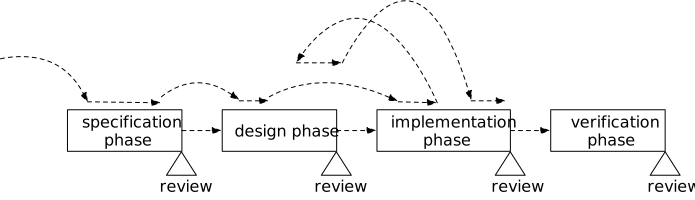
The artifacts should include the procedures used to release, manufacture, and deploy the system. The release procedures define the sequence of steps involved in taking a version of the implementation artifacts, checking that they have been verified and meet the intent of a release (such as the features implemented or bugs fixed), and placing copies of those artifacts in a separate area as a release. The manufacturing procedures define how to take those released artifacts and manufacture products that are ready for deployment: assembling hardware according to a released hardware design, for example, and giving them serial numbers. The deployment procedures tell how to take those manufactured artifacts and install them so that they are a working customer system.
There are different variations on this flow of operations depending on whether one is releasing and deploying a whole system or an update, whether the artifacts are electronic (software or data) or physical (hardware components), and whether the system will be mass produced or not.
Hardware components will generally start with a release of a hardware design. That hardware design is the basis for manufacturing instances of the component. Whether it is a single unit made in house or many units produced in a dedicated facility, the manufacturing procedure determines how the hardware products are made. Before finishing manufacture, hardware components are typically given an identity, often recorded as a serial number, that identifies the specific component instance and associates it with records like which design release version was used, what subcomponent parts were used, date of manufacture, and so on. Then the part is placed in inventory from which it can be deployed.
Software components most often follow a different path. Being electronic information rather than physical, there is no “manufacturing” step. The release procedure gathers implemented software and creates a deployable package from it. The manufacturing procedure gives the package an identity (a release number) and signs it or otherwise sets up security protections. It can then be copied to a server that makes it available for distribution and deployment.
Deployment procedures take hardware from inventory and software from a distribution server and puts it into use for a customer. This could be as simple as letting customers know that a software update is available for download. It could involve moving a number of physical components to a customer site, setting them up, and performing deployment checks to ensure that the installed system is working. It could be as complex as delivering a spacecraft to its launch provider, preparing it for launch, and having the spacecraft start up on orbit.
The whole process of producing deployed systems often generates a lot of records. Hardware devices have associated records about what specific design was used, what subcomponents were used, when and were it was manufactured, and then accumulate service records: when deployed, what defects were reported, what repairs made, how the device was disposed at end of life. Software has similar records: the identity of the software image, the versions it contains, how it was built, when it was made available for deployment, where it has been deployed, and its service history.
17.3.6 Project operations
Artifacts that support operations can be broken down in the same way that operations itself is (Section 7.3.5 and Chapter 20).
The project’s life cycle and procedures can be maintained in simple documents. Because these documents serve as a reference for team members, it is important that people be able to find easily the parts of the documentation they need for a particular situation: for example, if someone is setting up a design review for a particular component, they need to find the procedure for design reviews. The documents also need to support people reading through the life cycle or procedures to learn how the project operates in general. Having a good table of contents or index and accurate summaries can help them understand the breadth of operations before they need to learn about some specific procedure.
I have worked on several projects—especially including NASA projects—that develop complex “management plans” and “systems engineering management plans”. I have found that few people in the team actually use these documents. The management plans often follow a template that speaks to the team’s aspirations (“the team will do X”) but does not lay out the actual procedures (“do X by doing Y and Z”). The information in these plans is also often organized for a management reviewer, rather than for the people who need to follow the procedures. As a result, the documents sit unread after being approved and the team operates on shared lore about how to do one task or another, and the plans become increasingly out of date as the team’s practice diverges from the original intent.
Instead, the life cycle and procedure documentation should:
- Be organized to be used primarily by the team members who will do the work.
- Give clear and specific directions for procedures that a team member can follow to get a task done.
- Be regularly updated as the project’s procedures change.
Beyond the life cycle and procedures, planning and tasking activities involve creating and maintaining records. These artifacts are often maintained using specialized tools, such as project planning tools and task management (or issue management) systems.
Operations also maintains records of supporting information, such as budgets, risk registers, and lists of technical uncertainty.
17.3.7 Regulatory artifacts
Working with regulators typically involves a lot of records. The team uses some of these to guide how it builds the system. Other records form a legally-binding record of what the project has done and how the team has interacted with the regulators.
First, the artifacts should include records of the regulations that the project must comply with. This might be as simple as references to publicly-available reference sources (such as web sites that make current government regulations available). It may also include documents that explain what these regulations mean. This information is only of value if it is accurate; this means it must be kept up to date as regulations change. (In some fields, it is worthwhile having someone who tracks likely upcoming regulatory changes so that the team can anticipate those as well as working to current regulations.)
The artifacts should also include records of the processes that the team needs to follow working with the regulators. For example, if the system must obtain a license before being deployed for use, then there will be a process for applying for that license. Again, this information must be kept up to date to be useful. The processes are often difficult to find or interpret, so it is helpful to maintain documents that explain the process as well as just a record of the process.
Second, systems that need licenses or certification will require applications to regulators. The application information should be maintained, including copies of any application forms (with dates!) and any supporting documents generated as part of putting the application together. For example, I helped one team apply for a license to operate a small spacecraft in low Earth orbit. The license application included an orbital debris assessment report, which was sent to the regulator as part of the application packet. The assessment report included information generated by a debris assessment tool [NASA19]. The database used by the assessment tool was an artifact to be maintained, along with the report itself.
Correspondence with regard to the applications also needs to be maintained. This should include any information that shows how the team took steps to follow the application processes.
Next, the project must keep records of licenses or certificates that have been issued.
Finally, the project will need to maintain evidence that the system it has built complies with regulation, whether a license application is involved or not. These take the form of a mapping from a table of regulatory requirements to the evidence of compliance with each of the requirements. The evidence can be complex: for example, showing that the probability of a particular hazard occurring being below a mandatory threshold.
17.4 Managing artifacts
Artifacts are the result of the team’s work, and thus they carry value to the team and its customers. They represent the system being built. They are used continuously to inform and manage the team. They are often used long after they are created, to audit the work and to guide modifications to the system.
The artifacts change over the duration of the project. An early design draft gets revised into a version used to build the corresponding component. Later, the design is revised for a second-generation component.
These conditions lead to three general principles for managing artifacts: security to protect integrity, organization so people can find the artifacts, and change management.
17.4.1 Security
The artifacts need to be managed in a way that preserves their value by maintaining their integrity. Losing or damaging an artifact results in a loss that could be anything from annoying (losing minutes from a status meeting) to fatal to the project (damaged implementation of a critical component). The artifacts should be protected against both accidental loss, such as a server breaking, and malicious loss. For data artifacts, this means using resilient storage systems with good cybersecurity. For physical artifacts, it means storing artifacts in storerooms that maintain a benign environment and that provide physical security.
Access to the artifacts should be limited to authorized people using access control mechanisms. These mechanisms reduce the risk of malicious damage by limiting who can get to the artifacts. For artifacts that need to be kept confidential, limiting access helps reduce knowledge leaking to unauthorized people.
17.4.2 Organization
A random jumble of artifacts is of little use to people on the team. The team members need for the artifacts to be organized in a way that allows them to find the ones they need accurately and quickly. Bear in mind that most artifacts are part of the system artifact graph (Chapter 15), which has structure based on how artifacts are related.
There are three kinds of “finding” that team members will do.
In the simple case, they will know what they need: the design document for some component, or the risks associated with the project, or widget serial number X. To find something specific, they need to know where to find artifacts and how those artifacts are organized. They can use that organization to get to the specific one.
Another case is when someone knows they have a need but does not know exactly what they are looking for. This might be someone who has recently joined the project, or someone who is working in an area they aren’t familiar with. These people will need to be able to see and learn how the artifacts are organized, and will need a guide to help them understand what is available.
The third case is when they are looking at structure more than any specific component or artifact. They might be working on some component and want to learn about its environment, or why it has certain specifications. They might be investigating how two components interact. These kinds of information are captured in the relations between artifacts, not just in the individual artifacts.
Finally, there should be one logical place for each artifact, and artifacts should not be duplicated. (There might be copies for redundancy, but the people looking for one artifact should see those copies as if they were one thing.) Two people looking for the same information should not end up finding two different artifacts that cover the same topic and that have diverged from each other. This leads to people building incompatible components, sometimes in ways that are hard to detect but that lead to errors in the system.
17.4.3 Change management
As I have noted, artifacts change regularly over the course of a project. However artifacts are managed, they need to account for the effects of these changes.
Some artifacts, like records of task assignments and progress, change often but at any given time there is only one accurate copy of the information.
Most system artifacts, on the other hand, evolve in more complex ways. At any given time there may be multiple versions that are works in progress—containing incomplete changes that their creators don’t believe are ready to be used by others. Some of those in-progress versions may develop to become accepted versions, ready for others to use: a design that is ready to be implemented, or an implementation ready for integration testing. A version that has been used like this may later become obsolete as an updated version comes along.
This pattern of change calls for supporting versioning on this kind of artifact. Versioning means that one can find multiple versions of the artifact, and each artifact has an identifiable status so that someone can know whether they should be using that version to build other artifacts, or just looking at the version to understand it.
The dependencies of one artifact on another, such as a design leading to an implementation, and and implementation leading to verification test results, means that mutually consistent versioning is also important. When looking at an overall version of the system, it should be clear that (for example) the design for component X has been updated, the implementation for that component is in progress of being updated to match the design, and any verification results are from an older implementation that may no longer be accurate.
Most project life cycles and procedures define different statuses that an artifact version can have, along with procedures for how that version can change status. While the details differ, the statuses generally include some sort of work in progress, proposed, approved (or baselined), and superseded. The procedures generally say what has to happen for a version to move from one status to another, such as defining that a proposed design needs a review and approval step to be accepted as a baseline.
17.4.4 Implementing artifact management
There are many tools and processes in use today for managing artifacts. At the time of writing, no one tool works well for all kinds of artifacts, and so a project must stitch together its approach to managing artifacts out of multiple different tools.
Electronic artifacts. Software development uses version control systems to manage electronic files. There are many such systems, all of which provide a storage repository with a few common features:
- Maintaining a consistent view of all the files being managed. This means that the collection of files does not have a mixture of different versions.
- Ability to change files locally, then commit updated files to the repository.
- The ability to define branches of the repository, which store separate, internally consistent revisions of all the files. One branch is often used as the team’s shared working view of the files, while people create other branches to isolate works in progress.
- The ability to merge revisions from one branch to another, so that updates from a working version can be combined into the team’s shared version.
Other industries use document control systems to manage collections of electronic files. These systems also provide a repository for a collection of files, but the generally focus on the management of documents rather than just versioning. They commonly include features like:
- Support for review and approval processes.
- Sophisticated search, using organized metadata or document analysis.
- Strong access control and permissions on individual documents.
In addition, tools such as CAD systems or requirements management often include versioning and workflow features. These tools support creating different versions of an artifact, and defining a workflow for the procedure to be followed for approving a version as a baseline.
In practice the tools for managing artifacts do not often work together, requiring a project to (for example) select one tool for managing software artifacts, one for CAD system artifacts, another for structured systems engineering artifacts (such as requirements or specifications), and another for documents that do not fit neatly into these other categories.
Hardware artifacts. Many projects will create physical artifacts—mechanical components, electronic boards, manufacturing jigs, and testing equipment. These physical components need:
- A place where they can be stored until needed. This might be a stock room for some components, or lab space for test equipment.
- Information about the specific artifact, perhaps using a serial number to associate the information. This might include a part number, version information, and usage or manufacturing history.
- An inventory of the artifacts, including where each one can be found.