Once the system has been developed and verified, it is ready to be manufactured, deployed, and put into use. The initial work of building is done, but there is much more to go. There are several ways the operation phase can proceed, depending on the kind of system, kind of customer, and the role that the organization that developed the system plays.
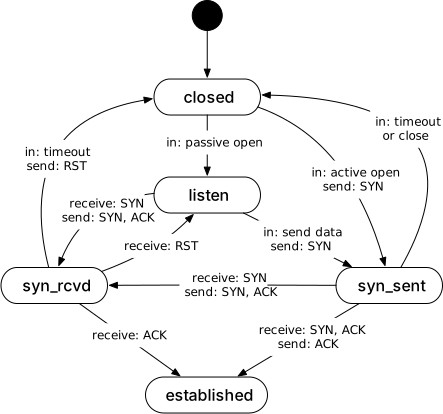
The general flow is first to manufacture or produce the system using the artifacts that have been developed, then deploy instances of the system. After that, the system instance is in operation. Further development of the system, to evolve it or to fix problems, continues in parallel with customer operation. Finally, at some point, the customer will decide to retire and dispose of the system instance. The steps of deploying, operating, and retiring system instances can occur multiple times in parallel for different customers.
29.1 System production
Production is not the application of tools to materials. It is the application of logic to work.
The production phase covers manufacturing the artifacts to be deployed.
Bear in mind that this is a brief overview of manufacturing, intended to explain the main points that people like systems engineers or project managers will need to know in order to understand the general scope of the work, and to understand how the manufacturing steps are related to other parts of the system-building work. Manufacturing has been studied and refined for a couple centuries, and there is an extensive literature with far more information.
There are several kinds of production that different projects might use. These include:
- One or small batch production, often done mostly in house. For example, a project might manufacture one spacecraft and a backup for a mission, or a company might build a one-off system for internal use.
- Mass production, often by outside manufacturing lines. Physical consumer or office products use mass production.
- Digital systems with little or no physical artifacts. For example, software that people will download over networks.
- Hybrid, with physical artifacts and digital added to them. This is the most common today: systems that have both physical artifacts that are manufactured and software or configuration that is loaded into them, and that software may be updated in the future.
Production of a new system for a new installation can also differ from production of parts for maintaining or upgrading an existing installation. A new system might consist of a complete collection of hardware components that will be assembled from scratch for the installation. Producing replacement or upgraded parts, on the other hand, consists only of manufacturing a few parts and making them available for deployment into existing installations.
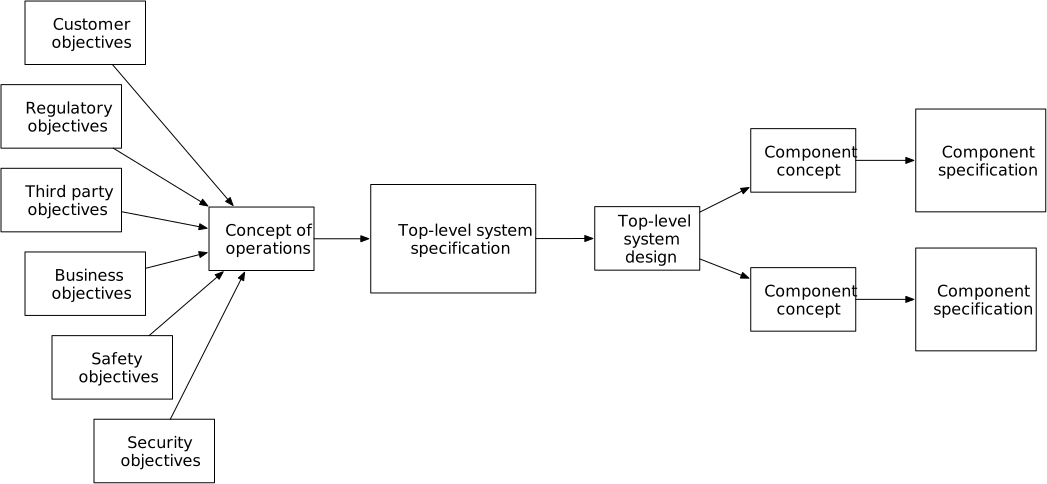
A review and approval to begin production milestone checks that the project has everything ready before committing to production, as discussed below. The review checks that the system development has completed all its milestones and that a system will be ready to deploy when manufactured. It also checks that everything needed for production itself is ready: the manufacturing tools and people, suppliers, testing. It also checks that the organization is prepared by being able to pay for supply and manufacture, and that people are ready to deploy systems once their parts have been manufactured, so that capital does not remain tied up in unneeded inventory.
Production relies critically on security of the supply chain, management of the developed artifacts, the manufacturing process, and the delivery mechanisms. All these elements of the production process have been attacked in recent years. For example, the SolarWinds attack [Zetter23] compromised the production process for their software, which was then distributed to and installed by many other organizations and led to attacks on those other systems. There are other reports of fake hardware components (e.g. pressure sensors [Control19]) being injected into a supply chain. These attacks can result in loss of system components, delaying deployment to a customer, exposure of intellectual property, deployment of a faulty or dangerous system, or creation of security problems for the system’s customer.
The overall production process has the following steps:
- Take in implementation artifacts, input stock supply, and manufacturing procedures.
- Acquire input stock from suppliers or inventory.
- Perform manufacturing procedures.
- Perform acceptance tests.
- Record tracking information for each manufactured unit (such as serial number, build history, or test history).
- Deliver deployment-ready artifacts to inventory or directly to customer.
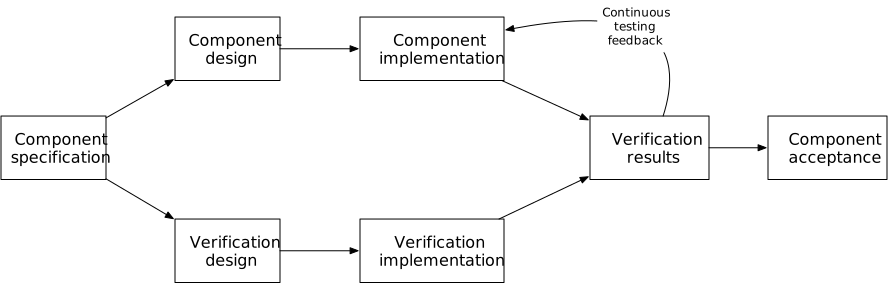
This flow depends on the supply chain of parts used in manufacturing or production. Any physical parts or stock used must be on hand to perform manufacturing; this implies that the stock is in inventory, and that it has been supplied from some qualified source. Sourcing implies selecting the suppliers and setting up contracts for them to provide the stock. The contracts with the suppliers should include clear specifications of exactly what stock or components are to be supplied, along with evidence that the delivered parts meet the specification.
Procedures for receiving materials from suppliers and maintaining inventory are part of the definition of manufacturing procedures. The procedure will typically need some amount of space for maintaining this input stock, along with managing information about what stock is on hand and what should be used next. The storage space maintains the input components or stock in an environment that will keep the material in its designed storage conditions. The procedures include determining when to order more stock. The receiving and storage facilities should have security that ensures that material is not stolen or replaced.
The production process relies on accurate configuration or version management. The artifacts used to manufacture the production components should have consistent versions, and those should match the versions used for final verification during development. If inconsistent implementations were manufactured, the components might not work together—and the resulting problems are often subtle.
The manufacturing procedures specify who does what steps, in what order, using what tools. These procedures are designed during system development and verified during production verification testing (see the section on hardware development above).
After system components have been manufactured, they are checked to ensure that there are no manufacturing defects. This is typically called acceptance testing. For many hardware components, this involves putting the component through a set of tests that are defined during system development. These tests do not stress the component to a level that will induce faults, like testing at high temperatures or voltages; the tests only look for potential manufacturing problems. Some mechanical or electrical components go through a “burn in” period, which operates the component long enough to catch early component (“infant mortality”) failures. For some other kinds of components, only a sample of each batch of components gets tested, under the assumption that manufacturing defects will tend to cluster in one production batch (for example, one day’s production shift).
The production process involves a significant amount of record keeping. Each produced component has its own set of records. These records start with the component’s identity, typically represented as a serial number. The record identifies what version of the input development artifacts were used, often by associating a release version number or code with the serial number. The records include when, by whom, and using what equipment the component was built, so that if parts start failing an analysis can identify other components that may be at higher than expected risk of failure. The records track what parts or stock were used to manufacture the component: the serial number of components used, if appropriate, or the supplier, model, and batch number of stock.
In addition, each manufactured component must be identifiable. That typically means that it should be clearly labeled with its model or version information and serial numbers, at minimum. The labeling is typically in both human- and machine-readable forms.
Once a component has been manufactured and checked, it is placed in inventory and later delivered for deployment. The components in inventory are stored in secure spaces that maintain the components in their designed storage environment—often dust-free, within a particular temperature and humidity range, and so on. The inventory is managed to know what components are in stock and ready to send for deployment.
The production process needs to be resilient to disruptions. One company I worked for was building hardware systems outside the US, and investors asked the company how they would handle a political or military disruption in that country. (The answer was that the company would go out of business because it had no alternative manufacturing option.) Many production or manufacturing processes are also in places that can be vulnerable to natural disasters, including earthquakes and storms.
Finally, the manufacturing process is generally a human process, and processes involving humans have a tendency to drift over time away from their originally-intended procedures (see e.g. Leveson [Leveson11, Chapter 12]). This drift can come from changes in how people are trained, people finding potential simplifications in the procedures, changes in the environment in which the people are working, and many other causes. The designs of robust, safe manufacturing procedures include periodic audits to check that people are performing the procedures as originally designed, and to re-design the procedures if they are found to have problems in use.
Inputs. The production step uses many inputs:
- System implementation artifacts, such as source code, mechanical and electronic designs or drawings.
- Production procedures that define how to manufacture and assemble parts of a component.
- The manufacturing space, tools, forms and other equipment used in the production procedures.
- Acceptance test procedures to verify that a component has been manufactured without defects.
- Contracts for supply, logistics, and manufacture.
- Supply inventory space that maintains input components and stock in a secure and organized way in its intended storage environment.
- Product inventory space that maintains the produced components in a secure and organized environment until they are sent for deployment.
- Inventory tracking records.
I use two terms loosely: input component and stock. By input component, I mean something that is used as it is in manufacture, such as a chip or a valve. By stock I mean material that has to be worked during manufacture, such as a metal or wood block that is machined to make a component, or plastic that is melted and formed in a 3D printer to make something else. Others may use other terms for these two kinds of inputs, but the distinction remains.
Outputs. Production has two major outputs: Deployable artifacts that are in inventory storage or on their way to a customer, and records of each artifact.
Milestones. Production does not begin until there has been a review that ensures that the organization is ready to perform production activities. The approval milestone checks that all of the manufacturing, testing, inventory, and logistics procedures are complete and performable. These checks typically depend on results from production verification testing. The review also checks that all the necessary suppliers are qualified and under contract to deliver manufacturing inputs. Finally, approval to begin production depends on having the capital or cash flow needed to support production, and that the organization is ready to deploy the manufactured system once it has been produced.
Each component has an acceptance testing milestone, as discussed above.
29.2 System production examples
I mentioned earlier that different projects follow different kinds of production patterns. Here are a few examples that show some of these different approaches.
Software only. This example covers a software-only system that is delivered electronically to customers for installation.
When building a software-only system, many people don’t put much thought into what happens between when a version of the source code is marked as ready for release and the delivery to a consumer. In practice there are several steps between the two, and those steps require careful design.
The input to production is a version of the software—either as source code or as binaries—that has been verified to meet its specifications, and validated against the original customer needs. This code is under version control and has been labeled as being ready for release.
The output is one or more installation packages on servers that customers (or deployment teams) can access over networks. Some software packages are not or cannot be delivered over networks, in which case the output is some physical artifact, such as a CD or USB drive, containing a copy of the installation package.
The production process involves the steps to generate these installation packages then stage them on distribution servers. The procedure typically involves building binary versions of the software from the appropriate source code artifacts, then performing acceptance tests on the binaries. The binaries are then bundled with other material, such as manuals and configuration files into an installable package. The package also includes metadata recording what the package is, its version, and the environment in which it is intended to be used. The procedure also adds security information, such as signatures or encryption to ensure the integrity of the package. The installation package is then copied to distribution servers, and tested to ensure that the package can be downloaded and verified correctly. Once the package is available for distribution, the final step is to let customers know that the package is available.
If the software is intended to run in multiple environments, such as on different operating systems or CPU architectures, the procedure will need to be repeated for each target environment.
In recent years, the integrity of the software production and distribution process has received increasing attention [CISA21]. This has led to standards for protecting the production and distribution processes.
Single spacecraft mission. Building a spacecraft is different from producing software: it involves physical artifacts, and it produces only one or a few instances of the spacecraft.
A project will typically build at least one spacecraft that will fly the mission, but may build a backup or an extra that is used on the ground to verify behavior during the mission.
The objective is to deliver a flight-ready spacecraft that is ready to ship to the launch site, be placed on a launch vehicle, and fly the mission (the deployment), or to deliver a test unit that is otherwise identical to the flight unit to testing teams.
Before assembling the flight instance, many projects often separately manufacture all or parts of additional spacecraft that are treated as Qualification Units for testing, especially for environmental testing that pushes the test unit beyond normal operating limits and might damage it. These units may be built and tested as part of the development phase or during production, as appropriate to a specific project’s rules.
The production process starts with acquiring and building all the components, then assembling them according to procedures worked out during development. The assembly is typically done in a “clean room” that keeps out contaminants that could affect the spacecraft’s ability to function, such as dust entering into cable connectors or hinge bearings. The team typically performs incremental acceptance testing along the way to ensure that subassemblies have been built correctly while they are accessible.
The team assembling the spacecraft document what components are used in each unit as they are assembled. The accumulated records are maintained for the entire life of the spacecraft, as they can be essential to establishing the causes of problems encountered in flight.
Once the entire spacecraft has been assembled, the team performs final acceptance testing, ensuring that testing remains within limits that will not inflict damage. They then package up the built spacecraft for delivery, typically in sealed containers that will protect it from contamination and shock during shipping. The packaged spacecraft is then delivered to the launch site, where it is mounted to the launch vehicle in preparation for launch.
Some spacecraft require final preparation shortly before launch. This can include charging batteries, entering final configuration data, or loading gases and fluids (such as fuel). These steps follow carefully-defined procedures, as they often involve hazardous materials (such as hydrazine fuel) and because there is risk of damaging the launch vehicle in ways that could cause in-flight failure.
The overall production step typically has strong requirements for safety and security. A malfunctioning spacecraft can lead to the failure of a mission, at the cost of significant invested capital. In some cases a malfunction can risk life and property on the ground, such as when a spacecraft causes failure of a launch vehicle, enters the atmosphere and damages or injures something on the ground, or creates debris that damages other spacecraft or injures people on orbit. To this end spacecraft are regulated and must obtain safety approvals before being allowed to launch (see, for example, the US regulations [14CFR450]).
Mass consumer product. This kind of production is for a device that is produced in large numbers for use by the public. These are often produced regularly, in multiple shifts or over multiple days, though not necessarily continuously. The production rate is often ramped up and down to reflect demand. Mass production for consumer products is often done by a contract manufacturer rather than in house, but not always.
Mass production requires a supply chain that can deliver the right parts on a steady schedule, with warehousing to maintain enough parts to keep the production line going and absorb any expected interruptions in delivery.
While mass production for consumers often does not use security standards as high as those for high-assurance systems, security still applies. In particular, using component parts different from that specified can cause unexpected failures in use. Consumer products also need security to keep the features of a new product secret until it is released, and security to avoid theft during and after production.
The manufacturing process uses assembly instructions for workers. These instructions are developed during the system development phase, and are verified during PVT. The instructions must be understandable by the people who will actually do the assembly, who often have different backgrounds from the people who develop the system. The instructions must also account that people may switch from working on one product to another and back over time.
Manufacturing may involve molds or jigs used to create mechanical parts. These are designed and produced during development and verified during PVT.
Products need acceptance testing and possibly burn-in after being assembled. The acceptance tests are also designed and verified during the system development phase. The tests often use test equipment that is also designed and verified during development.
Manufacturing results in many assembled and packaged products ready for delivery. These are then delivered to customers or to warehouses using a logistics provider.
The production process should be checked regularly. Because production goes on for a long time, the people or procedures may drift from the procedures originally developed. People find shortcuts, or worker training may change, or the environment in which assembly is done may change. The production activities may also reveal mistaken assumptions embedded in the assembly and testing procedures. Regular checks or audits will find where these discrepancies exist, and allow people to either bring the assembly and testing procedures back on track or create change requests to update the procedures.
29.3 System deployment
The objective of deployment is to set up a system instance for a customer and get them successfully using that system.
There are several kinds of deployments. The first variation is: who is doing the deployment? Consumer products are set up and installed by the customer. More complex systems are delivered and set up by a team that is part of the project. I will refer to this as “assisted deployment”. Other systems are deployed and used internally by the organization that created them. The second variation is whether one is deploying a complete new system installation, or installing an upgrade into an existing system.
The overall flow of events is the same for all these variants:
- Deliver and install the system (or its new components) at a customer’s location;
- Verify that the installed system works as expected;
- Train users on how to use the system properly;
- Migrate any data or material if needed; and
- Put the system into operation.
A system is deployed into an environment. That environment might be a customer site for a physical system; it might be spread over multiple sites; it might be an attachment to a launch vehicle; it might be resources on a compute server somewhere. In all those cases, the customer finds the places where the system can be installed. The deployment team and the customer usually interact before deployment starts to let the customer know what is required for the system, and for the customer to let the deployment team know what is available.
The environment for a software system might include the number and kind of compute servers used, the amount of memory or storage on each, the reliability and security of the servers, and the reliability of each server.
The environment for physical systems might include physical space, along with the temperature and atmosphere in that space. It might include the mechanical mounting needed, along with electrical, water, networking, and other supply lines.
Some customers will be migrating from an existing system to the new system being deployed. The migration might include moving information from the old system to the new system, or it might involve moving physical artifacts or supply from one to the other. Developing the migration procedures are a development activity on their own; in effect, they are a second mini-system to design and implement.
Complex systems will have users who need to be trained in order to operate the system safely and correctly. The initial group of users are trained during deployment, so that they can verify that the system works correctly and can take over its use once the installation has been accepted. Other users will learn to work with the system later, perhaps years later.
The installed system includes education and training materials for these users. These materials are assembled during the development phase of the project.
Different kinds of users may interact with the system. At the simplest, there are users who directly command and use the system’s primary behavior. A system may also have administrators who are responsible for specialized tasks, such as managing the set of users or the system’s security. It may have people who are responsible for maintenance and repair. I likely has other people who set policy for how the system should be used. All these people use the education and training material, and that material must address each of their needs.
Deployment presents a number of ways that someone could attack and compromise the system. The system components will be in transit from the production facility or warehouse and could be tampered with; they will be received at the customer site and might be accessed before being installed. The system components may be partially installed but not fully configured to be secure during the deployment process. The deployment procedures themselves could be altered or hijacked. All these potential exposures mean that the deployment procedure must be designed with security in mind, and that security must be evaluated as part of the system requirements.
Deployment includes setting up the customer on a customer service system. Once the system has been installed and the initial users have been trained and given access, the customer will begin to take over system operations. As they do this, they are likely to find they do not actually understand some parts of the system and have questions. They will use the customer service system to communicate with the project team for questions and to report problems.
Accidents and incidents may happen during system operation. When these happen, the customer works with the team that developed and maintains the system to investigate what happened. If the accident is serious enough, regulatory agencies may be involved. During the deployment process, the team establishes the necessary working relationships with the customer that will help the customer to detect when accidents have happened and to bring in the team for investigation. The investigation may determine that there is a flaw in the system, in which case a problem report and change requests are sent to the team to guide fixing the flaws. Section 29.7 below addresses how the team handles such changes.
Setting up the customer for ongoing success using the system is the last part of deployment. Once the system is in operation, the customer’s users are responsible for the ongoing safe and secure use of the system. Users of complex systems tend, over time, to find shortcuts and workarounds for how they use the system. They may forget part of their training, and new users may not be trained fully correctly. The environment in which the system operates may also change—parts might be moved, air conditioners changed out, or electrical feeds changed, for example. All of these can slowly change how the system is working and lead to accidents. Regular monitoring or auditing of system and user behavior is necessary to detect and correct these drifts and avoid accidents, and this auditing must be backed by management policy and actions. (See Leveson [Leveson11, Chapter 12] for background.) The deployment activities, therefore, must include working with the customer to establish the necessary monitoring activities and to establish necessary management policies.
Customer deployment. The components for these systems are delivered to the customer, who is responsible for installing or upgrading the system. The process includes:
- Delivering the system, along with deployment procedure instructions and training material.
- The customer sets up the environment for the system. This might involve creating space for machines, providing power, providing network connections, providing cooling, and so on.
- The customer follows the deployment procedures to install and test the system installation.
- The customer might contact the project’s organization for assistance, but most customers should be able to follow the instructions on their own.
- The customer migrates any materials or information from an old system. The customer is generally responsible for determining how to do this, though the system deployment instructions might include procedures for common cases.
- The customer puts the system into service.
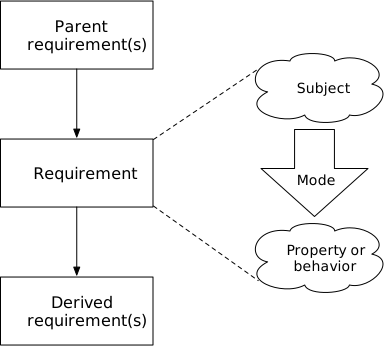
Assisted deployment (internal or external). When someone from the project team does the deployment, the process is similar to customer deployment.
The process includes:
- The team gives the customer requirements for the environment the system will require, such as server room, logistics bay, assembly bay, or an open field. The customer is responsible for arranging that environment before deployment starts. The team may verify that the environment is ready before starting delivery or deployment.
- The team delivers system components to the customer site, then assembles them following deployment procedures.
- The team performs basic testing to ensure assembled system works.
- The team provides training on operation and maintenance to the customer.
- The team and customer may work together to migrate information or materials from a previous system.
- The customer performs acceptance testing, and accepts the deployed system when no issues are found.
Inputs. The deployment step takes as input:
- Manufactured artifacts from the previous production step. These might be the parts to set up a whole system, or a few parts being used to upgrade an existing installation.
- Training material for the customer on how to use the system.
- Deployment procedures.
- An environment in which to install the system.
- Ways to interact with the customer once the system is in operation (“customer service”).
Deployment can also involve migrating materials or information from a previous system. If so, the procedures for doing the migration are also an input.
Outputs. The deployment step results in:
- A running system instance, set up in its environment.
- Trained users, who can interact with the system, monitor it, and perform maintenance when needed.
- A working communication channel for customer service.
Milestones. When the customer handles deployment, the milestones involved are their concern.
When the team handles deployment, there are three potential milestones:
- Deployment readiness is for determining whether the customer and the team are prepared for the deployment. The customer is prepared by having the environment ready for the installation and having people ready for training. The deployment team has the parts and time available to set up the system and perform training.
- Migration readiness applies when the customer is moving from an earlier system. Readiness means that procedures have been developed and tested for moving information or materials from the old system to the new, hat the old system has been prepared to extract the information or materials, and the newly installed system is ready to take in what is being migrated.
- Deployment acceptance is the final check that the system works as expected and that the customer’s users have been trained. At this point the customer is ready to put the system into regular operation.
29.4 System deployment examples
Deployment follows many different patterns, depending on the kind of system and customer. The following four examples illustrate some of the range of ways that the general deployment step can happen.
Digital product. Start with a digital product, such as a software application. These are often deployed by the customer, and involve deploying no physical artifacts. The customer downloads the application over a network and runs an installer package to perform the deployment.
The deployment process begins with the customer ensuring they have the resources needed to support the application. This includes operating system and CPU architecture compatibility, and the amount of available memory and storage needed. The customer gets and checks this information, presumably online, before deciding to download and install the application.
Next, the customer downloads an installation package and runs the installation. The package performs checks to ensure that the application is supported in the local environment, and copies in the application contents. The download or the installation package may interact with the customer for payment or licensing.
This process is more or less the same whether the customer is installing a new application, or installing an upgrade to an application they already have.
At this point, the customer has an application they can use. However, they may not know now to use it yet. The customer can learn about the application using training media provided with the application. If the customer is updating an application, they usually look for information on whatever changes update might include.
The customer is responsible for copying in any information that they may already have that they want to use with the new application.
Most consumer applications provide some kind of customer service, which the customer can use to report problems they find or to ask for help. These services are often provided on line as web sites.
Consumer product. Now consider a simple consumer hardware product: a home light fixture.
In this example, the customer is responsible for all of the deployment steps. Unlike the previous example, the deployment involves hardware artifacts and includes steps required to maintain safety.
The customer starts the process of deploying a new light by determining what kind of light they need—in the ceiling, on the wall, stand alone, and so on, as well as the needed brightness and the electrical supply voltage. They then research what fixtures are available from their preferred suppliers, implying that an organization that is building light fixtures sends out specifications and advertising materials to those suppliers well before the customer goes looking.
Once the customer selects, purchases, and receives the fixture, they review the installation instructions that the team has developed and included with the fixture.
The customer then installs the fixture using those instructions. The instructions should include basic safety steps, like turning off power to the affected circuit before working with the wiring. The customer tests that the light works after it has been installed.
Complex system, shared deployment responsibility. The previous examples have been simple, performed entirely by the customer. The next example covers a more complex deployment.
Consider an information system that supports a repair and maintenance workshop. This example is based loosely on a system I worked on for local government public works agencies, which maintained a wide range of equipment from buses to lawn mowers to backhoes.
The repair and maintenance organization had multiple shop sites. Some shops were specialized for working on particular kinds of equipment.
The system provided record-keeping support for managing work orders (repair orders), scheduling resources like work bays or large equipment, and managing parts inventory. It also interfaced with the customer’s other IT systems: security and user authentication systems, and systems to place orders to buy parts and to pay for them.
For a particular installation, the customer asked for a set of features to be added to an existing software package. The development phase of the project for this customer involved work to determine their specific objectives and changes, implement changes to the base system, and then validate the customized system with the customer. Once the customer accepted the changes at the end of the development phase, a production phase generated the software installation packages and other materials for the deployment.
Physically, the system consisted of a small set of servers in a server room, plus workstations of different kinds at the workshops. This equipment used communication equipment between the sites and the server room. The server room provided power, cooling, communications, and support services like backup and security for the servers.
The customer wanted to perform a phased installation and roll-out, where initially only a few people would use the system and over time its use would be extended to more and more sites. The goal was to minimize risk by avoiding disruption to the shop’s existing work, and to contain any problems that might come up as the shop users learned to work with the system. A phased installation would also allow the customer and deployment team to monitor the performance of the servers and communication systems in order to identify unexpected behaviors before they caused problems. The customer decided to continue using their existing (paper-based) system for all existing work, so no data would be migrated into the new system.
The project’s deployment team was responsible for installing and configuring the initial system, and for training the initial users. The customer installed servers and communications, along with workstations at the shop sites. The customer was also responsible for adding users to the system and would take over training and configuration after the system had been rolled out to half the shop sites.
The deployment process proceeded as follows:
- The customer installed servers and networking to host the shop management software.
- The deployment team installed the software and verified that it was running correctly.
- The customer installed workstations for the system administrators, and the deployment team trained the administrators.
- The customer installed workstations at one test shop site. The deployment team trained users at that site. The customer’s IT staff and the deployment team helped the new users and monitored system performance for the one shop site.
- The installation and training process continued with a second site.
- After half the sites were set up and users trained, the customer accepted the deployment and took over responsibility for operations. The customer installed workstations at more shop sites and trained the sites’ users.
- The deployment team remained available to help with questions and problems under a support contract.
This system thus had a phased transition between deployment and operation, rather than a hard split between one phase and another.
Spacecraft. Deploying a spacecraft covers the activities from when it is delivered to the integration site to be integrated into a carrier or onto the launch vehicle to when it is on orbit and ready to perform its mission.
The general sequence for spacecraft deployment is:
- Operational training and rehearsals. The team that will be operating the spacecraft learn how to use the ground systems that will interact with the spacecraft and learn how the spacecraft works. The training includes doing rehearsals of events that might happen during the mission.
- An operational readiness review, to verify that the operations team is ready.
- Spacecraft delivery to integration site.
- Final preparation and checkout. The spacecraft gets final checks to verify that it was not damaged in transit. Final data or software are loaded. Fuels and gases are loaded and batteries charged.
- Integration with the launch vehicle or carrier. The spacecraft is mounted to its attachment points on the launch vehicle or in a carrier spacecraft. Shortly after this, the spacecraft becomes inaccessible.
- Flight or mission readiness review. The final check that the team has completed all the work needed for the spacecraft to be ready to launch, including performing all planned checks.
- Launch and deployment. The spacecraft is placed on orbit and released from the launch vehicle or carrier.
- Startup and stabilization. The spacecraft turns itself on and stabilizes its state. This typically means stabilizing its attitude and spin, beginning to generate electrical power, and beginning to communicate.
- Checkout. The operations team communicates with the spacecraft to ensure that it is in good working order. The operations team can address any problems that have come up during and after launch, and can take steps to calibrate on-board sensors.
- Commissioning. The spacecraft is deemed operational.
When done with deployment, spacecraft is ready to perform its planned mission, is in communication with other systems, and operations team is managing the spacecraft
Deploying a spacecraft is different from the other deployment examples above in two key ways. First, a spacecraft poses far higher safety risks than the other examples. The deployment process reflects this by using procedures that have been designed and checked to meet safety constraints, and the deployment team are trained accordingly. Second, significant parts of the deployment occur beyond human access: while the spacecraft is on orbit, people cannot stop by to observe or fix a potential problem. The spacecraft’s design thus must provide sufficient information to the operations team on the ground to be able to detect and analyze problems without visiting the spacecraft. The operations team also uses detailed records of the spacecraft’s configuration, and so the production process must record all the details of what components were used, their provenance, and inspections of the work.
29.5 System operation
In this phase, the system is placed into operation. The customer uses the system, performing administration and maintenance as needed. Most of the system operation is the customer’s responsibility; in this section, I focus only on what the project does to support the customer’s operation.
The system operation phase affects the project team in two ways. First, the team will sometimes support the customer during operation. Second, point of the team’s work is to build a system that can go into operation, which means that the system’s design supports all the activities that the users will do. This includes the rare and exceptional activities, not just everyday usage, so these activities are included in the concept and specification to which the system is built.
The customer is responsible for maintaining the system. That may mean only following procedures for periodic checking, but for many systems maintenance can be far more intrusive, and involve regular replacement of some components. The customers rely on maintenance procedures that are designed as part of the system to keep the system operating safely; these maintenance procedures are designed to take safety, security, and reliability constraints into account. The customer also periodically orders replacement parts to install into their system.
The customer also takes care of their users. This includes adding and removing user access to the system and training those users. The project team supports these tasks by including features to manage users and their roles as part of the system. The team also develops training material that the customer uses when bringing on new users.
The system may have problems from time to time. These may reflect flaws in the system, improper usage, wear and tear, or combinations of all three. The customer, as the system owner, is responsible for handling the problems. However, the project team sets the customer up to be able to address problems by developing instructions for detecting and diagnosing problems, and training some of the customer’s staff on how these work. The project may also provide services to help diagnose and repair problems. The project also provides some form of customer support that the customer can use to report problems back to the project.
Most complex systems have human elements—users who operate the system and in doing so act as a control system that manages system behavior. As I noted in the previous section, these users can change how they interact with the system over time, finding shortcuts or using the system in ways they are not expected to. The customer establishes usage policies and performs monitoring and auditing tasks that check that people continue to interact with the system in safe and secure ways. The project team sets the customer up to perform this work by documenting what constitutes safe and secure system usage, including the rationale for why some interactions are acceptable and others are not.
Accidents happen. When some loss or injury occurs due to the use of the system, both the customer and the project team have a responsibility and interest to determine why the accident occurred in order to avoid future accidents. The accident investigation may also be mandated by regulation, in which case regulators are involved. The customer may be able to pursue the investigation on their own, if they have sufficient information about how the system is supposed to be used safely. The project assists in the customer’s investigation by providing that information, which includes the documentation of how to use the system safely, and why. However, for serious accidents, the investigation often requires a more in-depth understanding of the system’s design and implementation. The project prepares for supporting these investigations by maintaining complete records about the system’s concept, specification, design, and implementation, including explanations of the rationale for why choices were made and safety or security analyses that the team did about the system’s design.
Finally, the customer may find that their needs change over time, or that there is some aspect of the system that does not work as well as they had planned. These changes can be externally driven; for example, regulatory changes that affect the customer’s industry can affect what the customer needs from the system. The project team can receive change requests (along with problem reports) through a customer service mechanism.
Inputs and outputs. The operation phase is ongoing, unlike some other phases. It continues as long as the customer continues using the system. It is also primarily the customer’s responsibility.
The working system, as accepted by the customer at the end of deployment, is the primary input. That working system includes parts that support the customer’s tasks:
- Training material for users.
- Maintenance and repair procedures.
- Replacement parts for maintenance.
- Procedures for detecting, diagnosing, and recovering from expected problems.
- Safety and security constraints, with associated design information and rationales, to support customers monitoring system operation.
- A customer service mechanism that the customer can use to report problems, request changes, and initiate accident investigations.
From the point of view of the project, the customer’s operation produces a few outputs:
- Replacement part orders.
- Problem reports.
- Change requests.
- Accident investigation requests.
Milestones. Most organizations require some kind of authorization to operate in order to place a system in operation. This is typically a review that all of the system deployment steps, including acceptance, have been completed successfully and that the system meets the customer’s policies. All these steps should have occurred earlier, and the authorization to operate is usually just confirmation that none of the steps were skipped.
The system remains in operation as long as the customer chooses and as long as they maintain the system in good repair. The customer thus periodically performs maintenance tasks and audits that usage remains safe and secure. The customer periodically determines—perhaps implicitly—whether to continue the system in operation.
29.6 System operation examples
Operations vary widely depending on the kind of system. Here are some examples illustrating the range.
Consumer product. A consumer product is generally the responsibility of its users. The development team is responsible primarily for designing a system that the users can understand and providing enough documentation or training material so that the users learn how the system works. The development team also provides documentation on any cleaning or maintenance tasks the users should perform.
Some consumer products can require occasional more complex maintenance, and a product team might offer a maintenance service in addition to the system itself.
Aircraft. Operating a commercial aircraft is a joint endeavor between the air carrier and its staff, the manufacturer, and the civil aviation authority (CAA). While the carrier’s pilots are responsible for an aircraft in flight, the carrier has overall responsibility for safe operation. The carrier is responsible for setting policy and training its staff in order to meet CAA regulation. The manufacturer supports the carrier by, first, getting type certification for the aircraft design, and then providing the carrier with documentation on the general limitations of the aircraft’s design.
The air carrier is generally responsible for ensuring all its employees and contractors have training and know which rules to follow—pilots, flight attendants, ground handlers, maintenance personnel, dispatchers and so on. Individual people are responsible for complying with the rules and limitations of their certificates—pilots, dispatchers, and mechanics, for example.
The manufacturer works in concert with the air carrier and repair facilities to develop training materials and is responsible for promulgating maintenance documentation, including service bulletins generated from operational reports back to the manufacturer about problems discovered through use of the aircraft. This means that the project team develops this material during the development phase.
If there is an incident or an accident with the aircraft, the carrier typically works together with the CAA and other government organizations as well as with the manufacturer to investigate what occurred. The records of the aircraft’s design and manufacture, along with safety analyses, implementation, and verification, are one of the inputs to these investigations.
Summarizing, the project team has the following responsibilities that affect operations:
- Maintaining records of the specification, design, analysis, implementation, and testing of the aircraft.
- Maintaining records of the construction and acceptance testing of the aircraft.
- Coordinating with the carriers that fly the aircraft and the CAA to collect maintenance reports, work out corrective actions, and distribute the procedures back to the carriers for implementation.
- Maintaining a supply of spare parts to support aircraft maintenance.
- Coordinating with carriers and the CAA to support accident investigations, which depend on the records about the aircraft.
Uncrewed spacecraft. Unlike the other examples, an uncrewed spacecraft is operated completely remotely. The only way to interact with it is through command and telemetry communication channels. Without the ability to interact physically with the spacecraft, its operators rely on design records and hardware instances on the ground to interpret the information they receive.
A spacecraft is typically managed by an operations team. This team uses ground systems—which are designed and implemented as an integral part of the overall mission system—to watch the telemetry sent by the spacecraft and send up commands. The operations team plans upcoming activities for the spacecraft, such as observations to take or maneuvers to make, based on mission plan. The team uses design information about the spacecraft’s capabilities to determine what activities to plan, and the order in which different steps must occur. The team turns these plans into commands that are sent up to the spacecraft, which then follows the commands. The spacecraft sends telemetry messages down to the ground systems. The operations team processes and interprets this data. They use information about the sensors generating the information, such as records of how the sensor has been calibrated, its position and attitude on the spacecraft, and the format of data it sends.
The operations team also monitors the telemetry data for off-nominal conditions. It detects that the spacecraft has had a problem by comparing the data received against what is expected from the plan, such as expected attitude information, and looking for data values that are out of normal range, such as a high temperature or low battery voltage. After identifying that a problem has occurred, the operations team looks for the causes of the problem and then works out how to return the spacecraft to normal operation. The investigation relies on the spacecraft’s design records. The team often uses simulation models or duplicate spacecraft systems on the ground to see if they can replicate the problem and to verify that any recovery plans will work as intended. Once they have a plan, they formulate the corresponding commands and send them up to the spacecraft.
For example, consider the first crewed Starliner CST-100 flight [Foust24]. During the early part of the flight, several thrusters began showing poor performance that led the flight systems to shut them down. Even though the spacecraft was carrying crew and eventually docked to the International Space Station, no one could physically access the thrusters to determine what had happened. In the end, teams on the ground replicated the performance problems using duplicate thruster units. Having learned the likely cause of the failures, NASA changed the flight procedures for departing the ISS and returning to ground. (The agency also determined that the failures posed sufficient safety risks that the vehicle did not carry crew on the return to Earth.)
Factory system. Consider a generic plant that produces chemicals. Its operation involves multiple chemicals that can cause serious injury and death to both workers and the surrounding population in an accident. While parts of the plant’s operations are automated, there are many manual operations—cleaning, responding to a failure, maintaining machinery, and so on. The plant, therefore, relies on its operators following safe procedures. This generic example is inspired by several real-world examples; see Leveson [Leveson11, Section 2.2.4] for one relevant case study.
Chemical plants are subject to incentives that work against safety. The desire for profitability leads to streamlining operations or shutting down safety-specific systems, which then break safety requirements. Individual staff are likewise incentivized to work quickly, and often look for workarounds that make their jobs easier or faster. These can also break safety requirements. Finally, staff turnover leads knowledge gaps at all levels, so that workers and management don’t know what is needed to maintain safe operation.
Plants like this are operated by a company. The company’s upper management are the ultimate authority that is responsible for safe and profitable plant operation. They set policy for how the plant’s workers will balance profitability against safety. The plant management act on this policy to run the plant, making specific operational decisions to set procedures. The plant workers then follow the procedures to operate the plant (or shut it down when needed).
The hierarchy within the company forms a control hierarchy, involving decisions, feedback, and commands. Upper management sets policy, gives instructions to plant management, and observes feedback metrics. Plant management give instructions to staff, adjusting those instructions to meet the company’s policies. The staff in turn control portions of the plant.
Two steps are needed for this control hierarchy to keep the plant operating safely. The first is that everyone working on the plant or overseeing it must have an accurate understanding of how the plant has been designed for safety. The project staff who design and build the plant make this information available to people in the company, both as reference documentation and as training material. The second is that the behavior of each level of the control hierarchy must be regularly monitored to ensure that the people are operating their part of the system consistent with safety designs. If there is a deviation from safe practice that violates safety constraints, the company takes corrective action to stop the unsafe behavior. This is true at all levels of the company, and especially for upper management: cost-cutting measures meant to improve profitability are a common cause of accidents, and upper management must be answerable to checks that will prevent such decisions.
These control systems are part of the system to be designed and implemented during the system’s development phase. Accurate controls do not arise spontaneously; they come from intentional design. A safe system’s implementation defines roles for upper management, plant management, and plant staff, and includes the procedures that each is to follow. These procedures are verified both analytically and (where possible) by testing, in order to ensure that each level will behave in ways that keep plant operation safe. The analyses account for human factors—what kind of information each role can receive, how likely that is to convey the correct understanding of what is happening in the system, the incentives driving people in each role, and how accurately they can implement instructions.
In some cases, auditing operations will find that people are not following the designed procedures but that these changes do not pose a safety risk. These changes first must be checked thoroughly for evidence that they do not violate safety constraints in the system. If they are found to be acceptable, they should lead to a formal change to the documented procedures (in the form of a change request; see Section 29.7 below). The documented procedures must always remain consistent with what people are actually doing so that all staff clearly understand what is acceptable operation and what is not.
29.7 System evolution
The system evolution phase is about making changes to the system after it has been released and potentially deployed to customers. These changes can happen for many different reasons—such as a planned roadmap for adding to the system over time, requests for changes from customers, fixing problems, or changes in regulation. System evolution can occur in parallel with system deployment and operation.
Overall, system evolution is a recapitulation of system development (Chapter 28). It involves working out a purpose for the change, a concept for how the system will work when changed, leading to specification, implementation, and verification. These steps use information about what has already been specified and implemented in the system, along with the reasons why it is that way, to work out how to make changes that achieve the desired results without disturbing the system’s existing behaviors.
Making changes starts with a change request. In whatever form the request takes, it identifies who is asking for a change, what their purpose is in the change, and why it is worth doing. In practice change requests are usually maintained in a database. Requests can come from many sources. They may be part of the project’s long-term plan to continue developing the system. They may come from customers, who ask for new or changed capabilities. They may stem from the investigations into reported problems or accidents, in order to avoid problems in the future.
A project does not act on all change requests. Some of them will be technically impossible; some will be infeasible because of time or resources. Others might be reasonable requests that have to wait until higher-priority requests have been addressed. The team looks at each request received to determine its importance, its feasibility, and its cost, and makes decisions about whether to accept or reject the request based on the analysis. If a request is accepted, the team determines a relative priority compared to other work or a potential deadline. These are used in planning the team’s upcoming work (Section 20.6).
Determining whether a request is feasible involves determining how much of the system will be affected by a potential change. While working out the concept for the change, a team member determines what parts of the system will be affected, using documentation about the system’s structure and design (Chapter 12). The result is a preliminary analysis listing the set of components that will be changed and the general nature of those changes. This information is then used to estimate the effort that will be needed to design and implement changes for the request.
Changes happen iteratively. There may be multiple iterations in progress concurrently if multiple changes have been accepted. Handling multiple concurrent iterations requires careful configuration management discipline (Section 17.4).
Making the changes involves changing the specifications and designs for affected components. These changes can be difficult to make accurately because they are done to an existing, complex set of relationships between components. Making a change without causing flaws depends, then, on being able to accurately understand the structure of the system and how parts of that structure contribute to emergent properties like safety constraints. This relies on having rationales, analyses, and earlier designs available, so that people can work from an accurate information base.
Once a change has been specified, designed, and implemented, it is verified. Verifying the work for a change has two parts: ensuring that the modified system meets the new specifications and the purpose of the change request, and ensuring that the rest of the system continues to work correctly.
Once the changes have been verified, they can be deployed to customers as an upgrade or incorporated in new deployments, using the production (Section 29.1) and deployment (Section 29.3) patterns already discussed.
The team continues to evolve the system until the team is relieved of responsibility for fixing problems or when the system is taken out of operation.
The overall process for system evolution includes:
- Receiving change requests. These may include problem analyses, such as root cause analysis or accident investigation reports.
- Triage the requests to determine the importance of addressing each one. Perform a basic analysis of the affected scope and the feasibility of a change.
- Decide on which change requests to address and which to reject, and the relative priorities for requests to be addressed.
- Reiterate the development pattern.
- Update the purpose and concept to include the changes. Identify what parts of the system will be changed to address this as part of the concept.
- Modify specifications and designs.
- Update implementations.
- Verify the changes. This includes verifying manufacturing changes, training changes, maintenance procedure changes, and similar material.
- End with acceptance test. This might include a beta test with customers.
- When development is done, reiterate production and deployment. Manufacture the update packages: new hardware components to be deployed, software updates, new procedures and training. Deploy the updates, either by moving in new hardware or applying digital updates, along with training.
Inputs. The system evolution phase starts with change requests. A change request is a record of the desired new behavior or properties, or the problem that should be fixed. It also records who is making the request, their reasons for doing so, and information about priority or deadlines if appropriate. The change request may reference incident analysis reports or other background information needed for context.
The evolution phase will take in the current development plan and the current system.
Outputs. The primary outputs are updates to the system artifacts, including updated concept, specifications, design, rationale, and verification artifacts. These artifacts feed to production and deployment phases, which result in other outputs.
The development plan is updated as a side-effect of deciding whether to process a change request, and its priority or deadlines if so.
Milestones. There is one milestone unique to the system evolution phase: the decision whether to proceed or reject a change request.
In addition, this phase incorporates all the milestones associated with the development pattern while developing a new version of the system.
29.8 System evolution examples
Consumer software. Many consumer applications are released initially as a simple initial version, with a roadmap to add features in future releases. This approach lets the developer test the market and develop awareness of their application as early as possible, and with the least investment possible before adapting to customer needs.
These upgrades are often planned to be released on a regular schedule, with a plan or roadmap of what new capabilities will be released each time. Additional bug-fix releases are released as needed between the planned upgrade versions. These are driven by a balance between problem fixes and the roadmap, which is updated by a marketing team listening to customer requests.
Spacecraft. In most missions, the spacecraft hardware cannot be changed once the spacecraft is launched. The opportunities for evolving the system are to update on-board flight software and ground systems.
Flight software is updated for several reasons: correcting bugs found after launch, adding fixes to work around hardware problems discovered in flight, and adding new capabilities. New capabilities might include new kinds of data analysis and science operations, such as the autonomous dust devil detection uploaded to the Mars rovers [Castano06]. The project team develops and tests these software updates using simulations and replicas of the spacecraft on the ground before risking sending changes to the spacecraft. This test equipment is an important output of the original development phase. The ability for the spacecraft systems to continue functioning even after a buggy software update is also an important system property, often addressed using internal fault detection, software rollback, and “safe modes” where the spacecraft operates with only a minimum amount of well-tested software running [Wertz11, Chapter 14, p. 410].
Flight software updates are driven first by problem fixes that are needed and second by mission opportunities to use new capabilities. It is uncommon to plan to regularly produce new flight software versions during a mission.
Ground systems are easier to update, since people can access them directly. For example, a mission can add new ground communication stations or upgrade the workstations and severs in mission control. New mission planning or data analysis tools are regularly tried out during a mission. Some ground system updates are planned on a regular schedule over the course of the mission, though more happen when problems or opportunities are identified.
Some spacecraft mission systems in recent years have tackled in-flight upgrades. The GPS constellation is regularly updated with new spacecraft [Albon24]. Low Earth orbit constellations, such as the Starlink communication constellation, use spacecraft in low orbits that have intentionally limited life spans, and they are regularly replaced with newer-generation spacecraft. The System F6 project, on which I worked, looked at flying in new capabilities over time [LoBosco08].
Factory system. Consider the chemical plant example from the previous section. Over the plant’s life, there can be many reasons why the plant will change from what was originally implemented. New technology can become available that will improve the factory’s operation. Parts can wear out and need replacement, but duplicate parts might not be available any longer and a substitute must be found. The factory’s chemical process may be changing to meet new demands, leading to changes in the plant’s equipment. And finally, there will be changes to operational procedures as noted in the previous section.
All of these involve changing the design of the plant. Following the pattern for system evolution ensures that the necessary design and implementation steps are done so that the plant continues operating safely.
For example, when substituting a different model part for one that is not longer available, there are a number of questions to answer. Does the replacement part meet the functional and safety assumptions of the original? Will the replacement fit into the physical space available, and connect to other parts properly? Does it fit into the control mechanisms, both automated systems and manual control? Is the replacement manufactured with equivalent reliability, and does the supplier provide the same assurances about provenance? How do maintenance and operation procedures need to change to reflect the substitute part?
29.9 System retirement
No system lives forever, and most are deliberately taken out of service when their usefulness has ended.
Most systems continue in operation until there is a decision to retire them. For some systems, this comes when the purpose for the system has been completed—for a spacecraft mission, for example. For others, it comes when the system has worn out enough that ongoing maintenance and repair costs outweigh the cost of replacement, such as for vehicles that wear out. Yet others are replaced because newer systems become available that can meet the customer’s need better.
A system being retired and disposed of typically goes through three periods. In the first period, the system is in normal operation, but the decision has been made to retire it. During this period people plan how to shut the system down and transition its functions or information. They should conduct dress rehearsals to verify that the procedures will work as expected. The system then enters the second period, where it is no longer in normal use but may remain at least partly operational to support transition and archival. Once those are verified complete, the system is shut down for the last time, is dismantled, and its resources are disposed of.
There are two primary aspects of retiring a system to consider: what to do with information or materials that should be migrated to a new system, or archived, and how to dispose of the artifacts that make up the system.
I discussed migrating into a system in Section 29.3 above. The task of migrating out of a system is part of the same process, involving developing a plan for migrating information or materials from the old system and into the new.
There will be other information that people will want long after the system has been retired, in many cases. This can include logs of system activity or user access that may be needed for later accident investigations or legal inquiries. It can also include information or materials that the system processed that are not being migrated to another system, but that may be valuable in the future. This information is moved from the working system to some kind of archive. Developing the procedures to archive the information, how the information will be organized, and the system to hold the archive requires development on its own, just as migrating information from one system to another does. This development phase involves determining what information needs to be archived and how it will be used once it has been stored, which in turn leads to a concept, then specifications, then a design.
Archived information is usually retained for a long term. If a system has been used for business or manufacturing, retention is mostly governed by regulation—anywhere from one to 30 years in the US, depending on the kind of information. Scientific and medical data is often of value indefinitely, though legal retention requirements may be shorter. Scientific data is often re-evaluated decades after it was first gathered; for example, data collected from the Viking landers on Mars in the mid-1970s was re-interpreted thirty years later after other missions gathered more information about Martian soil composition [Navarro-Gonzalez10]. This particular example also illustrates a problem with many data archives: the mission data were recorded on microfilm and had to be scanned to get digital data to process.
Long-term archival media often have two problems. First, the media wear out and decay over time, which has led to information believed to be safely archived to be found to be unreadable [Purdy24]. Second, even if the media are readable, there may no longer be machines that can read them. I have a number of backup tapes for which I have not been able to find a drive to try reading them.
Sometimes physical artifacts are retained from a retired system. It is common to keep parts of aircraft and spacecraft in museums after they are retired, for example.
Disposing of system artifacts can range from trivial to complex. Erasing a software application and its data, for example, is easy; once the storage media have been erased, there is no further meaningful trace of the system remaining. Disposing of a system that processed hazardous biological or chemical materials, on the other hand, can be difficult.
The retirement and disposal procedures must be secure. An unauthorized attempt to shut down a working system can cause major losses, and can lead to safety hazards. Information and materials are being moved around during migration and archival, and are potentially accessible to being copied or corrupted. Physical artifacts that are being decommissioned can carry confidential information about both the way the system works and about the customer that has been using the system.
Inputs. Retirement begins with a system in operation, along with records of its specification and design.
Some systems develop data archival, shutdown, and system disposal procedures during the development phase. If so, then these are input to system retirement. If not, then the procedures are developed during the retirement phase.
If the system’s function is being migrated to a new system, the specification and design of the new system is an input, and is used to develop a migration plan during the retirement phase. An unpopulated but functional installation of the new system is also involved.
Outputs. There are three kinds of outputs from system retirement:
- A new system that includes information and materials migrated from the system being retired, if appropriate.
- Archived information and artifacts.
- Physical resources and debris. Resources that have residual value or are reusable are separated from debris that cannot be reused feasibly.
Milestones. The overall retirement phase starts with a milestone decision that the system should be retired.
After that, the three threads of activity—migration, archival, and disposal—each have readiness milestones for reviewing and approving a plan for each, and a verification milestone to confirm that each was completed correctly. The disposal readiness milestone also checks that migration and archival have completed.
There is also a decision milestone to determine when the running system should be taken out of service in order to start migration to a new system and archival.
29.10 System retirement examples
There are many different ways systems are retired. Here are three examples that illustrate different approaches.
Simple software system. When retiring software such as a workstation or phone application, the objective is to remove the software from the system on which it runs, so that none of the software or its related files remain. This is typically done by running an uninstall program that is set up to remove any files that were added on installation, plus any internal files that might have been created (configuration, logs, caches). This uninstaller is typically developed as a part of the application and packaged with it. In some cases, the software can be disposed of by erasing the storage devices that held the software and its related files.
Sometimes retiring an application means that the server on which the software was running is no longer needed, and so the server can be retired. Disposing of the server is similar to disposing of a vehicle, as discussed next.
Vehicle. Retiring a vehicle, such as a car or aircraft, involves getting rid of the vehicle’s physical parts while recovering as much value from the parts as possible. At the same time, records about the vehicle are retained for longer in order to meet financial record-keeping needs as well as supporting analysis of maintenance or reliability for other similar vehicles.
The overall process is:
- Take the vehicle out of service, meaning that it is no longer available for regular use.
- Remove any hazardous materials. This can include fluids such as fuels or lubricants, batteries, and other toxic metals that are not encapsulated in other parts.
- Disassemble the vehicle, recovering reusable parts and sorting the rest as scrap for recycling.
- Update the records of any parts that are being saved for reuse.
- Archive financial, maintenance, and usage records about the vehicle.
- Clean reusable parts and add them to inventory for reuse (or deliver to someone who will use them).
- Transport recyclable scrap to organizations to recover the material, and dispose of the remainder.
Spacecraft disposal. The objective when retiring a spacecraft is to ensure that it will pose no future hazard to the Earth, other spacecraft, or other bodies. Some of the most important hazards are impacting the Earth and causing damage or injury; colliding with other spacecraft; or contaminating other planets or moons that potentially carry life. Collision can occur either with the whole spacecraft, or with fragments of it if the spacecraft breaks up on orbit. Interfering with radio spectrum is another, though lesser, hazard.
There are four approaches usually used to retire and dispose of a spacecraft.
- Cause it to enter an atmosphere and disintegrate, so that no parts remain in orbit and no parts will pose a risk of falling on people or property. This is used for spacecraft in low Earth orbit, such as small spacecraft that burn up when entering the atmosphere and large spacecraft that are directed to impact in the deep ocean. It has also been used for deep space probes around Jupiter and Saturn to avoid the spacecraft impacting and contaminating moons there.
- Cause it to enter the Earth’s atmosphere, land, and be recovered. This is used for crewed missions and returning cargo from low Earth orbit. The returned spacecraft equipment is often re-used for later flights.
- Cause it to impact another body, such as the moon. This has been used for Apollo hardware and science missions such as LADEE [LADEE13].
- Place it in a parking orbit that is stable and reserved for retired spacecraft. This is used for spacecraft in Earth geosynchronous orbit, which require significant energy to deorbit.
If a spacecraft is going to remain in orbit after its useful mission is complete, such as if it is being placed in a parking orbit or being left in a low decaying orbit to enter the atmosphere passively, then regulations require passivating the spacecraft. This involves removing any energy that could cause the spacecraft to explode, change its orbit, or activate radios—eliminating ways that it could cause collisions or interfere with communications. This typically involves venting any fuel and other gases or fluids and permanently shutting down any electrical systems.
All of these disposal approaches can experience problems. A spacecraft may lose its communication capacity before passivation commands have been sent to it. Thrusters may fail, interfering with the ability to put the spacecraft into an orbit that will enter the atmosphere or impact as planned. The design of the disposal methods must account for these potential problems, and safety analyses must show that the spacecraft and its procedures will avoid the identified hazards with acceptable likelihood.
The NASA life cycle standards require that a mission develop the plan for retiring and disposing of a spacecraft during the development phase [NPR7123]. This includes the plan for how the spacecraft will be disposed of, including meeting safety requirements. The plan must also include the procedures for archiving all mission and project data.