- 32.1 Introduction
- 32.2 A model of artifact management
- 32.2.1 Using this model
- 32.2.2 Versions
- 32.2.3 Task support
- 32.2.4 Approvals and workflow
- 32.2.5 Organization for searching and navigating
- 32.2.6 Tracing
- 32.2.7 Artifact storage and retrieval
- 32.3 Security objectives
- 32.4 Designing artifact management
32.1 Introduction
Artifacts are the inputs and outputs of a project’s tasks. They represent the records of how the system was designed, the source code for its implementation, and the final products for manufacturing or deployment.
I discussed artifacts in general in Chapter 17. While that chapter discussed what artifacts are, this chapter focuses on how to use and manage them.
A project creates and uses many different kinds of artifacts. Some are electronic data; others are physical. Some are records of how the project worked out its system design; others are parts of the system implementation. Some contain proprietary or sensitive information; others do not. The way a project manages its artifacts must handle all these different kinds.
Team members will use artifacts at every step of a project, and so they need to be able to find, create, update, and review them. This led to some general principles (Section 17.2):
- People should be able to find the artifacts they need.
- People should have confidence they have found the correct artifact.
- Relationships between artifacts should be represented.
- Artifacts should be maintained securely.
Because there are so many artifacts and such complex relationships among them, having an organized model of how artifacts are organized and used is important for avoiding miscommunication and misconfiguration. A team needs to have defined procedures and tools to manage these artifacts.
32.2 A model of artifact management
Artifact: The things that the team produces and uses to make a system. This includes the parts of the system themselves, as well as records of purpose, concept, specification, and so on.
Artifact identity: The way to distinguish one artifact from another. Identity is often related to role: the system concept document, for example.
Artifact kind: An indication of the form an artifact will take and what it will contain. Examples include a concept document, design document, software source code, hardware assembly procedure, and electronics board.
Artifact relation to component: Most artifacts are related to some component in the component breakdown structure (Section 11.3). Component A might have a specification, design, and implementation. The system as a whole—the top-level component in the breakdown structure—has artifacts such as its purpose and concept.
System artifact graph: The collection of all the artifacts the project produces and uses, along with the relationships between them. See Chapter 15.
Artifact derivation: How the contents of one artifact depend on the contents of another. The specification for a component derives from the concept of how that component fits into its parent. The component’s design derives from its specification, and the implementation from the design.
Artifact version: One copy of an artifact, possibly different from other copies of that artifact, with contents that change from one version to another.
Version relation to tasks: Tasks create versions of artifacts, either as new artifacts or as updates to existing ones.
Version status: An indication of the maturity of an artifact version. Indicates whether the version is current (baselined), out of date, or a work in progress.
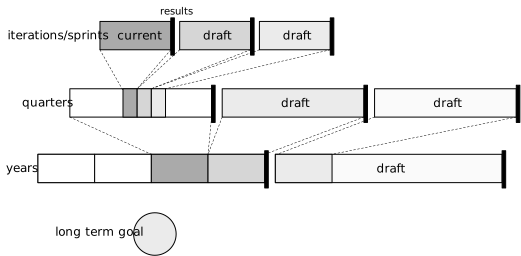
A project for a system of even modest complexity will generate many artifacts, and many kinds of artifacts. The system as a whole will be represented by purpose and concept artifacts. Each component in the system will be represented by specification, design, implementation, and verification artifacts. A manufactured and deployed instance of the system will be made up of many artifacts as well as having artifacts recording the manufacturing and usage history of its parts.
In other words, there are both many artifacts and many kinds of artifacts.
This model is intended to bring order to the complexity of the many artifacts. It provides terms to talk about artifacts and their relationships to each other. These terms and relationships in turn provide a foundation for designing procedures for managing the artifacts and the tools used to help manage them.
First, each artifact has a kind. The kind indicates both the form that the artifact will take and its content. Form might be electronic or physical, an electronic prose document or software source code in some language or a database. The content reflects what the artifact is for: a concept document explains how a system or component should work, while a testing procedure documents the equipment and steps used to verify some component behavior.
First, each artifact has an identity. This is a way to distinguish one artifact from another: the design for component A is different from the design for component B, or from the implementation of A. Identity is also related to the role an artifact plays: the concept document, the specifications, or the implementation of a component, for example.
Physical and electronic artifacts differ in one important way. Electronic artifact versions can be copied any number of times, and as long as the contents of two copies are identical they can be treated as the same artifact version; there is little value in tracking the different copies separately. Two physical artifacts that are realizations of the same implementation, on the other hand, are never identical. They may have subtle differences in manufacture or usage history; they have physical locations. Copies of physical artifacts therefore have separate identities, perhaps marked by a serial number, along with being instances of some abstract artifact, identified by its component id or part number.
Next, artifacts have versions. A version is a copy of an artifact; different versions often have different content. The team might develop an initial version of a component’s specification to address some of the component’s behaviors, then develop a second version that adds other behaviors. A third version might then make corrections to the second version. Section 32.2.2 provides more details.
People create and update artifacts as part of doing the project’s tasks. Each task has some objective, such as designing a component or fixing a bug or adding a feature to the system. In the course of meeting the objective, the people will often make changes to a lot of artifacts. All of those changes need to take effect when the task is complete; saving some but not all of the changes usually will result in inconsistent or incorrect systems. This leads to a need to deal with sets of artifact versions atomically.
Artifacts are related to each other in several different ways, and the artifacts need to be consistent with the artifacts they are related to.
The first relation is that one artifact can derive from others. The system concept leads to the system specification, which leads to design, which in turn leads to implementation, for example. A design is consistent with its specification if the design meets all the requirements in the specification and does not include behavior outside the specification. A system concept is consistent with stakeholder input if all the stakeholder needs are met in the concept (and no other functions are included).
When one artifact derives from another, one should be able to trace the information from one to the other. For example, a component’s specification derives from its concept, and the elements of the specification—each requirement, for example—should be traceable back to elements in the concept. Traceability is part of verifying that an artifact is compliant with its antecedents, and is used during review and approval.
Most artifacts are related to system components. A mechanical design is the design of a particular mechanical component. The system concept is for the whole system. A manufacturing procedure is related to the component being manufactured. (A few artifacts are related to the process of making the system and not to specific components, such as the project’s plan.)
Artifacts can be related to each other because they are related to the same component, such as the specification and design artifacts for the same component.
Two artifacts can also be related to each other because the components they describe or implement are related to each other. If two components have a relations, functional or non-functional (Section 12.2), then the artifacts describing those components are also related. These artifacts are consistent when they describe the same interactions: if component A generates an event that causes a reaction in component B, then the artifacts for A and B should describe compatible causes and effects.
Note that artifacts will not all be consistent during development. Work to design and build the system will progress through the graph of artifacts, from stakeholder needs and purpose through many steps to the implementation and verification of low-level components. When an update is needed, perhaps because of new customer need or to fix a design problem, the changes will likewise flow through the artifacts. The development lifecycle pattern will determine those times when different artifacts need to be consistent, such as at some review or integration milestones.
32.2.1 Using this model
This model provides a way to talk about how the team will use artifacts, and thus what capabilities they need in managing them.
The team will use artifacts while:
- Learning about components;
- Updating artifacts and making new ones;
- Performing tasks involving multiple artifacts; and
- Reviewing work for approval or changes.
Team members will look at artifacts to learn about the system and its components. They may do so because they are trying to get an overview of how the system will work, or they may be looking at the details for some set of components. These activities lead to functional needs:
- Team members must be able to find the artifacts that describe what they are looking for.
- Team members must find the right version of the artifacts—the baselined version in many cases, but sometimes the work-in-progress version for a particular task.
The team members will not just look at the artifacts related to one component; they will also look at artifacts of related components in order to understand context or to see how they will interact. This means:
- Team members must be able to navigate accurately and easily from artifacts for one component to artifacts for related components.
- Team members must easily be able to navigate from one artifact to the artifacts from which it derives, or which are derived from it.
People will make changes to artifacts, leading to different versions of the artifact. They will work on an update for a while, and the work in progress is often not meant to be shared with others until it is done. This leads to functional needs:
- Artifacts must have status, indicating whether they are work in progress, done but not officially accepted, baselined, or obsolete.
- Team members must be able to accurately identify what version of an artifact they are working on.
- Team members must be able to find and access the correct version they need.
- Team members must only be able to update a version they are working on, and not change a version that is supposed to be stable.
People will take on tasks that involve updating multiple artifacts together. They might be adding a function to some software, for example. The implementation might involve changes to several different source code files. These updates need to be handled as a group—for review, for testing, and for baselining.
- Team members must be able to define sets of artifact versions that are being worked on together, and that should change status atomically (as a group).
- Team members must be able to work without mixing versions from different sets when needed.
Changes in some artifacts will lead to changes in other artifacts, often automatically. For example, when someone changes software source code, the binary software artifacts that derive from the source get updated.
- Automatically-derived artifacts must be able to be versioned to match the artifacts on which they are based, and new versions must have a status that matches their sources.
Finally, after people have made a set of changes to design or implement part of the system, those changes are reviewed and approved before the changes are baselined (treated as stable, for others to use generally). This means:
- Team members must be able to access a set of related artifact versions, as defined by people who performed the tasks creating those versions.
- Reviewers must be able to trace how each changed artifact matches the artifacts from which it derives, as part of verifying that the new versions are correct or complete.
- Some team member must be able to update atomically the status of all these artifact versions to mark them as baselined when they are approved.
- Previously-baselined artifact versions must be marked out of date or obsolete when new versions are baselined in their place.
32.2.2 Versions
Versions represent how artifacts change over time.
In this model, versions are subordinate to artifacts; they are not separate artifacts themselves. People working on software, for example, talk about different versions of source code file X rather than treating each version as a different file. This reflects a sense that the file is the (one) artifact, and that that artifact changes over time.
The team will produce multiple versions of these artifacts over time (Section 21.5). There will be incomplete works in progress, often multiple at once as people work on different parts of an artifact. There will be versions that are believed to be complete, but which the team has not yet committed to. There will be baselines, which are the “version of record” to which the team is committed. There will be obsolete versions that used to be the baseline but that are now out of date.
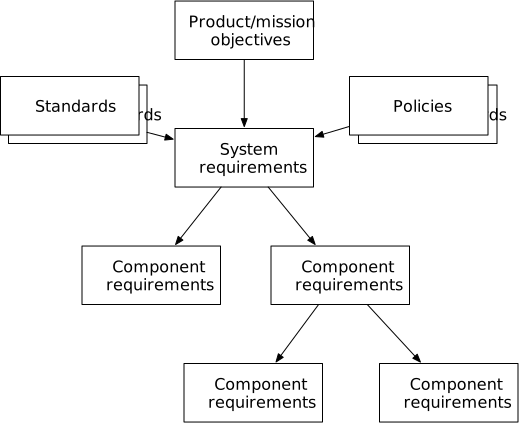
The baseline version of an artifact is the one that the team treats as complete and accurate enough that people can use it as they work on derived artifacts. This does not mean that the baseline is done; it means that what is there is likely not going to change too much and so work based on it is not likely to have to change in turn. Many artifacts will be only partially completed when they are first baselined. For example, part of the functions for a component might have been worked out well enough to write specifications while other functions are still being investigated. The portion of the specification that has been worked out can be baselined and others can begin designing for the worked-out functions while people are investigating the other functions. As long as the specification artifact is clear about which parts are complete and which parts will be coming later, designers can begin their work without undue risk that they will have to redo their work.
A baseline version remains the baseline, without changes, until a new baseline version is selected. The project’s lifecycle patterns and procedures specify how the team will decide to promote a version to being a new baseline. Typically this will involve some kind of review and a formal approval decision step. People who are using the baseline can rely on the information in the baseline being stable until there is a deliberate action to change it. This prevents people from missing small changes that might be made one by one if the baseline weren’t kept stable.
Working versions, on the other hand, are updated often, until the team decides that the version is either ready to be a candidate for becoming a new baseline or should be discarded.
The tools and procedures used to manage artifacts will need to handle multiple versions of artifacts. People will use a working version to store the updates they make as part of a task. They will want the artifact management mechanisms to preserve a copy of the work in case a local copy is lost or damaged. They will often share work in progress artifacts with others. People may be working on different changes concurrently in different working versions—one person addressing one change, while another person works to address some other issue.
The artifact management mechanisms should support:
- Multiple working versions, for different people and for different
concurrent work on updates.
- Working versions should be easily mutable, so that someone can store updates regularly.
- Working versions should be easy to share between people, both for shared updating or for comments and review.
- The ability to compare and merge working versions allows shared updating.
- A single, clearly-identified baselined version of each artifact,
separate from any working versions.
- The baselined version should be stable, meaning team members can count on it not changing often.
- The baselined version can be replaced by a new baseline from time to time.
- The procedures to evaluate a candidate working version to decide
whether to promote it to be a new baseline version.
- Recording information about reviews or approval decisions supports these procedures.
32.2.3 Task support
People in the team take on tasks to build parts of the system. The tasks are often organized around system functions that involve multiple components. The tasks therefore produce new versions of several different artifacts, and the changes to those artifacts need to be consistent with each other.
While the people are working on the task, they will make continuous changes to the artifacts. The new artifact versions are therefore mutable during the work. Once they have finished the task, and the work has been reviewed and approved to be baselined, then the artifact versions’ statuses are changed and the versions become immutable.
All the versions need to be baselined together. Making only some of the task’s changed artifacts, but not others, available to the rest of the team means that baselined versions will not be mutually consistent.
The need to deal with multiple new versions as a group leads to capabilities that artifact management should support:
- Defining a set of artifacts being created, updated, or removed by a task.
- A way to view the versions associated with the set when viewing or browsing artifact versions.
- Changing the status on all the artifact versions in a set atomically.
Software configuration management has built up the idea of branches to support this such sets of versions. Each branch is a snapshot of a particular version of all the artifacts. The status of an artifact is defined by the kind of branch it is on: a working branch is for work in progress files; a baseline or master branch is for baselined files. A user indicates that they are working on files in some particular branch, and then only see the versions associated with that branch (set). Any file changes are automatically associated with that branch. The entire package of changes can be baselined by merging the changes in a working branch into a baseline branch. Most software configuration management tools provide ways to see the differences between two branches.
32.2.4 Approvals and workflow
The team relies on the integrity of baselined artifact versions. Any updates to the baselined version should, therefore, be carefully controlled. The typical workflow is that someone develops a working version of some artifacts, then proposes them for a new baseline. The proposed version then gets reviews, and is either approved to become a new baseline or is given issues that need to be addressed before it can be approved. Once approved, the proposed version is promoted to become a new baseline.
Every project needs to have a clear procedure for this workflow, and this should be documented as part of the project’s lifecycle. It should be clear to every team member how they go about proposing a working version to be baselined, how the review and approval steps are performed, who is responsible for approval, and the steps required to turn a proposed version into a new baseline.
Well-designed support in artifact management tools makes this procedure easier for the team and less error-prone. Some software configuration management tools can enforce reviews and approvals before allowing file versions to become a new baseline. Some document management tools support richer workflows.
I have seen some projects that do not use automated workflows, instead having a well-documented manual procedure for each of the steps. While this can be error-prone and while it does mean that one or more people must be responsible for managing the repository contents, this approach works well as long as the team is not too large and no more than a few dozen artifacts are being managed. This is especially useful when a project is starting up and has not yet determined what tools they will be using.
The project, thus, should:
- Have a clearly documented procedure for updating baselines.
It is desirable, but not required, that tools provide:
- Support for the workflow of proposing a baseline, getting reviews and approvals, and updating the baselined version.
32.2.5 Organization for searching and navigating
Project team members look for the artifacts they need—for learning about them, for updating them, or to use them in verification or deployment. The team members will need to know where these artifacts are stored, and they will need to be able to find them in those places.
First, people need to know where artifacts are stored. I worked on one project that spread artifacts over many different tools: requirements in a requirements management tool, CAD designs in a CAD repository, software in a Git repository, designs split between a cloud-based document system and a drawing system from a different vendor, with physical artifacts spread over electronics labs and stock rooms in three different locations. It was several weeks before I learned about some of these. At minimum, all these places should be documented; preferably there would be one starting point that everyone could use to begin looking for artifacts.
A project should thus:
- At minimum have one document in an obvious place that tells team members where all the different kinds of artifacts are stored.
- Ideally, have one starting point for looking for any artifact the project uses.
Next, people need to be able to find the artifacts they are looking for once they know where they might be stored. They need to be able to navigate or search through the contents to find the artifacts.
What someone needs varies. One person might know that they need the specification artifact for component X. Another person might know that they are looking for the software source code for that component, and they need all the relevant source files. Someone else might know that they are looking for the design of the electrical power system, but they don’t know what component or components are involved. Someone might be working on component X, and want to learn about the components that are related to X. A final person might have a physical part and wants to find out its specification.
I have too often seen projects build up a long, long list of documents, each with a document number and unhelpful title, requiring users to scroll through the list or guess at search terms. Creating an index that organizes the artifacts by the relevant phase and component helps people significantly.
These needs mean that information about artifacts should be organized so that users can:
- Learn easily and accurately how to go about finding artifacts.
- There should be simple learning materials for new team members.
- Quickly find a particular kind of artifact for a specific system
component, or all of the artifacts of that kind.
- Components might be known by their identifier in the component breakdown structure, or the user may need to search within the structure or browse the structure to find the component they want.
- Navigate from one component to related components.
- Some of this navigation follows the functional and non-functional relations between components.
- Other times someone will want to find the component of which this one is part, or find the subcomponents that make up this component.
- Search using the identifier for an artifact to find the component it
represents and from there find associated artifacts.
- Starting from a part number or serial number on a physical part is an important use case.
Designing the procedures and tools for organizing a project’s artifacts is not a trivial exercise. I have most often seen it handled haphazardly, resulting in artifacts spread over multiple repositories, with no connections between the repositories and no apparent organization to the contents. Organizing the artifacts takes deliberate planning and effort. It also must be maintained: the team will discover new ways it needs to find artifacts as it moves the project along.
A well-functioning project will, therefore:
- Plan how it organizes artifacts early in the project, at least partly during project preparation (Chapter 26).
- Allocate people to the work of maintaining the artifact organization over time.
- Plan to update how artifacts are organized as the project moves forward.
I recommend making at least one team member responsible for continuously organizing and reorganizing the project’s artifacts.
32.2.6 Tracing
When artifact B derives from artifact A, the detailed information in B derive from the details in A. Tracing is the ability to map those details.
People use traces in two ways. The first is to learn about the context to a decision recorded in some artifact. For example, if someone is implementing a component, they will be following that component’s design. They may want explanation of why some part of the design is the way it is, and they can follow the traces backward from the design to specification to concept, and from there to the design or implementation of the parent component, and so on, ultimately back to one or more parts of the system’s purpose.
The second use is in reviewing an artifact. Each artifact must comply with the predecessor artifacts from which it derives. “Comply” means completeness and minimality (Section 14.6): the artifact addresses all the objectives or requirements in its predecessors (completeness) and does not have features that are not justified by the predecessors. Having the traces explicitly recorded is part of building the evidence that the artifact complies.
There are two problems to solve in documenting how information traces from one artifact to another. The first is how to identify information in an artifact; the second is how to record the relationship between artifacts.
Identifying information items is easy when an artifact is structured as a set of identifiable parts, such as a table of requirements. Each requirement can have a unique identifier within the table, and another artifact can reference the requirement by id.
Identifying individual items is more difficult in artifacts that have a less discrete structure. A software component design can have some structure, such as identifying the component’s state variables; an implementation can map component state to those design variables. A component’s behavior, on the other hand, might be documented as a combination of prose and state machines. The behavior description is not so easily broken into small, separate items that the implementation could reference. Moreover, one behavior documented in the design might be reflected in multiple different parts of the source code. At the least, the traces might need to be recorded in a rationale document or in comments that explain in prose how the implementation maps to the design.
The second problem is how to represent these relations that cross between artifacts. There is at present no common representation for such relationships across many kinds of artifacts. Any representation of a trace exists as some kind of textual marker or metadata within one of the artifacts. If either artifact changes, there are no automatic mechanisms to change the references to match, and so tracing information easily becomes out of date as people do their work. A project will likely have to define its own ways to represent traces and keep them up to date.
32.2.7 Artifact storage and retrieval
As the team members use and update artifacts, they retrieve them from wherever they are stored and store new versions.
Electronic artifacts, such as file or databases, are stored and retrieved differently from physical artifacts, such as system parts or manufacturing tools. Electronics artifacts can be stored online in servers, with search and workflow functions built in. An electronic artifact is trivially replicable, and one copy is not really a different thing from another copy. Each physical part, on the other hand, has a separate identity. Two parts of the same kind differ from each other in their manufacturing history, where they are located, and their usage history.
Electronic artifacts. These are usually stored in some kind of repository system. The repository can support versioning, tasks, and provide ways to search for and browse the artifacts it stores. At the time of writing, there are three general kinds of repository systems: ones built for storing software, ones built for storing CAD data, and general document repositories. Generally speaking, software repositories generally have the most sophisticated mechanisms for handling versions and baselining sets of versions, while document repository systems have the strongest search or organization mechanisms. Software and CAD repositories often have functions to process the specific kinds of artifacts they are meant to store, such as automatic analysis or testing. Software repositories usually include functions that support merging two different versions of a source code file that have been worked on in parallel, but those functions do not generalize well to other kinds of artifacts.
Ideally, a project would designate one tool for storing all electronic artifacts, and organize the artifacts it stores so that it is convenient to find them. In practice most projects use different tools for different kinds of artifacts—a source code management system for software, a document system for ordinary documents, CAD repositories for hardware designs.
Good practice for electronic artifact storage includes:
- Support for versioning and groups of versions to support tasks
- Support for workflows, such as approval or release
- Multiple ways to organize or search for artifacts
- Support for security, as discussed in Section 32.3
Physical artifacts. Physical artifacts, such as mechanical parts or electronic boards, are handled differently from electronic artifacts. Each physical artifact is manufactured or acquired, then stored, used, put back in storage, and eventually discarded. Each one can be subtly different from others, from manufacturing differences to wear and tear in usage to storage environment.
Inventory management is necessary for physical artifacts. Each artifact should have a paper trail: a set of records that record its history. There should also be a record of where the artifact can be found: at a manufacturing site, in a storage facility, in a testing lab, or deployed in some system.
In many projects, people also need to be able to take a deployed system—a vehicle or an aircraft, for example—and get an accurate list of which parts (artifacts) have been installed where.
Physical artifacts need to be stored when they are not in use. The storage location should provide the necessary environment for each artifact, such as temperature control, humidity control, electrostatic protection, prevention of dust or gas intrusion, and so on. The physical location also needs to be secure, as discussed in the Section 32.3.
Good practice for physical artifacts includes:
- Labeling each artifact with serial number and part number information so they can be identified accurately.
- Maintaining an inventory system to track where each one is and its
history of manufacturing and usage.
- Being able to match a part number or serial number to a component in the breakdown structure, and from there to find related artifacts such as specification or design.
- Being able to find what component artifacts are available.
- Being able to find out what physical artifacts are in some location: for example, deployed in system X, in storage at site Y.
- Inventory storage that keeps each physical artifact in the proper
environment when it is not in use.
- Ability to check artifacts out of storage or back in.
- Physical security to prevent tampering or theft.
32.3 Security objectives
Because the value of the project resides in the artifacts it creates, the team must put effort into protecting its artifacts. The specific ways that the artifacts are protected depends on the kinds of artifacts and the tools used for managing them. However, there are a few security objectives that should be met whatever the tool or artifact.
Problems with secure artifact management have gotten attention in recent years as supply chain attacks. Some have been caught before a subverted implementation was deployed [Goodin24] while others have been caught only after being released and deployed to many customers.[Zetter23]
Note that these objectives deal with security of managing artifacts and access to them. This is separate from the security of the system represented by those artifacts. Designing a system component that has a security flaw is not the concern here; preventing an unauthorized, malicious outsider from introducing a flaw is.
Confidentiality. A project’s artifacts generally represent intellectual property—whether it is owned by the organization running the project or by team members or by a funder. Some of the artifacts also contain information obtained confidentially from customers or other stakeholders.
This leads to two objectives:
- Access to artifacts must be controlled so that only those people properly authorized can access them. This applies to seeing or using existing artifacts as well as to changing or destroying them.
- The management mechanisms must have a way to reliably determine, after the fact, who has accessed which artifacts.
These objectives have implications about the project’s infrastructure. People or their systems must have identities in order to control access, and there must be policy that determines who should have what kind of access. Access control is only effective if the infrastructure for identifying people is itself secure, meaning that each person can be properly authenticated and that no people can be added or removed from the project without proper procedure.
Integrity. Team members have to trust the artifacts they work with. There may be mistakes in an artifact, but no one should be able to tamper with an artifact to make unauthorized changes. A team member must also be able to trust that they are getting the proper version of an artifact, and that they can know accurately whether that version is the baseline or something else.
These needs lead to the following objectives:
- The content of all artifacts must be maintained as last update by authorized users.
- No artifacts can be added or destroyed except by authorized users.
- The metadata—such as status and version relationships—must also be maintained without tampering.
- The workflow information related to each artifact must be maintained without tampering. This includes things like records of reviews, approvals, and decisions about baselines.
- The relationships between different versions of an artifact, or between different groups of artifacts (“branches”) must be maintained without tampering.
These objectives depend on a project having ways to identify people and having a policy to define who is allowed to make what changes.
A project also needs to be able to detect when integrity is being attacked and to reconstruct accurate information after someone tries to tamper with artifacts. There are two key capabilities:
- Definite, tamper-proof attribution of actions to people, and
- The ability to reconstruct accurately a past state of the artifacts.
People I have worked with have reported projects with insider attacks: where someone on the inside of a team made malicious changes to software. The person changing the software was authorized to make changes, and integrity and confidentiality policies were followed. Once their activities were detected, they were removed from the team and others had the task of finding all places where the malicious person had tampered with the system. In one case, the team was using a software repository that could accurately identify any change made by a particular person; this eased the task of finding where they had introduced problems much easier than if they had to examine every change made by anyone on the team. (For a publicly-known example, see the xz backdoor attack.[Goodin24])
Availability. Short outages, when team members are unable to use some artifacts, are not generally a problem. Extended loss of access, however, means the project cannot make progress. At certain critical times, such as during reviews, at milestones, and during production, even short outages can cause problems.
There are two availability objectives each project should meet:
- The artifact management tools and procedures must be set up so that they resist attempts to interfere with access by unauthorized people.
- The tools and procedures must provide a way to recover correct artifacts if there is a disaster or successful tampering.
Supporting infrastructure. All these security objectives are built on top of lower-level infrastructure.
This infrastructure includes:
- The ability to identify each person accurately. This includes authentication for electronic interactions and physical identification for in-person interactions.
- A policy for who is authorized to take what actions. This includes identifying who is a part of the team and who is not.
- The ability to determine accurately what one person is authorized to do.
- The ability to store information in ways that is difficult to tamper with, for maintaining logs of accesses.
- Redundancy in order to absorb the workload during attacks or partial damage.
32.4 Designing artifact management
A project sets up its artifact management procedures and tools early on, as part of project preparation (Chapter 26) and project support (Chapter 27).
This is a system design exercise on its own. The tools and procedures for artifact management are there to support the project’s life cycle patterns. The objectives in this chapter provide some guides for what that design should achieve.
Whatever the process for designing artifact management, the purpose is that they support the team and the project’s life cycle patterns. Starting by adopting a tool or a procedure from a third party blindly is rarely a good idea. It is better to understand at least basically what the team needs and then evaluate tools and procedures to see what meets those needs.
A project usually decides on some artifact management early, but it is likely to evolve over time. At least some of the tools and the general principles should be in place as the team begins to work out the system’s purpose and generate artifacts recording what stakeholders need. However, some specialized aspects are often deferred until they are needed, as the project adds people for specific disciplines. The new team members will have opinions and experience to guide the design for their area of expertise. For example, a project might probably not decide on its whole CAD tool chain during early project preparation; that will happen when CAD engineers join the project and prepare to do that kind of design work.
Finding a set of artifact management tools that work together is hard. The market is largely focused on single tools or on single disciplines: electronics CAD, mechanical CAD, or software implementation, for example. Integration with tools for other kinds of artifacts, such as specifications or concepts, and traceability among them, is rarely supported. Consistent workflows for review and approval that cross disciplines are generally not supported. A team will thus likely have to figure out how to make multiple tools work together.
Security has to be considered from the beginning, as every tool and procedure will be affected by decisions about security. A project must be clear about its basic policy needs very early: is this a high-assurance system where artifact integrity is a matter of life and death? Are there legal requirements like ITAR that have to be considered? Answers to these questions will shape the objectives that artifact management must meet. The choices for tools and procedures must then be analyzed clearly to determine to determine if they comply with these needs—and it is not enough to simply take a vendor’s assurance or follow a few generic best practices.
How the team will work affects choices about tools. This depends on how the team is structured and plans to work together (see Chapter 19), which is a system design exercise in itself. How much will people work together on tasks, or how much will people generally work on different things? If they work together, tools that support collaborative work will be needed. Will people work from multiple locations, or will they be collocated? The tools may need to provide good performance for remote users.
Finally, artifact management tools usually need to integrate with other kinds of tools to support the project’s life cycle. For example, the repository will work in conjunction with issue tracking or change order management tools.